
Overview
For my final year project at the University of Salford, I set out to design a mobile app that helps amateur actors and directors make the most of their rehearsal time. The result was ScriptMate – a rehearsal assistant app that supports line learning, group collaboration, and performance preparation.
Inspired by my own experiences in amateur theatre, I wanted to solve a real problem: how can actors learn their lines more efficiently and directors run rehearsals effectively, even when cast members are absent?
The Challenge
Amateur theatre groups often face:
- Low rehearsal attendance due to busy schedules.
- Actors underprepared, spending more time on line learning than performance.
- Directors unable to rehearse full scenes when cast members are missing.
The aim was to create a tool that:
- Helps actors learn lines faster and smarter.
- Enables directors to share scripts and feedback digitally.
- Brings the company together in one organised space.
Research & Insights
I began by reviewing existing tools:
- coldRead – strong transcription features but no collaboration.
- Line Learner – useful playback options but clunky UX.
- Facebook Groups – commonly used for communication, but cluttered and unfocused for rehearsals.
Key takeaway: actors needed line learning + collaboration in one app, not spread across multiple tools.
Designing ScriptMate
Branding & Style
- Name: ScriptMate – a supportive “partner” for rehearsal.
- Fonts: Novel Sans Pro (modern, book-like feel) + Courier (industry-standard for scripts).
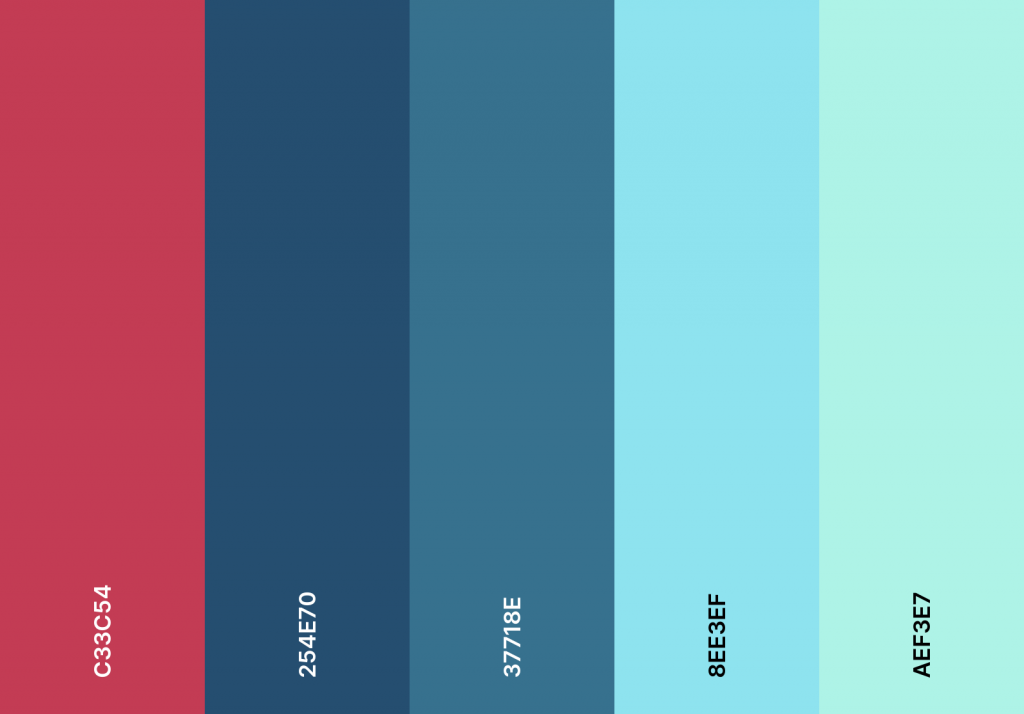
- Colours: Purple inspired by theatre seats, with greys and accents for depth.
- Logo: A highlighted line, symbolising focus and annotation.

Core Features
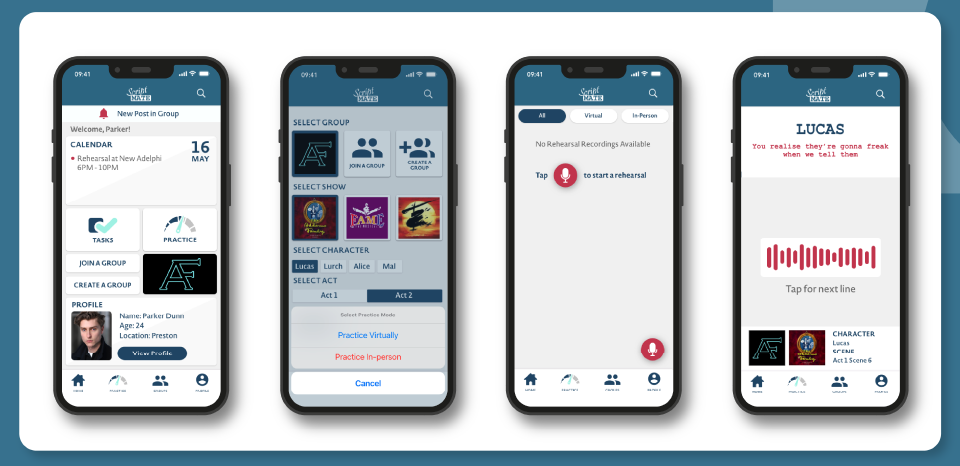
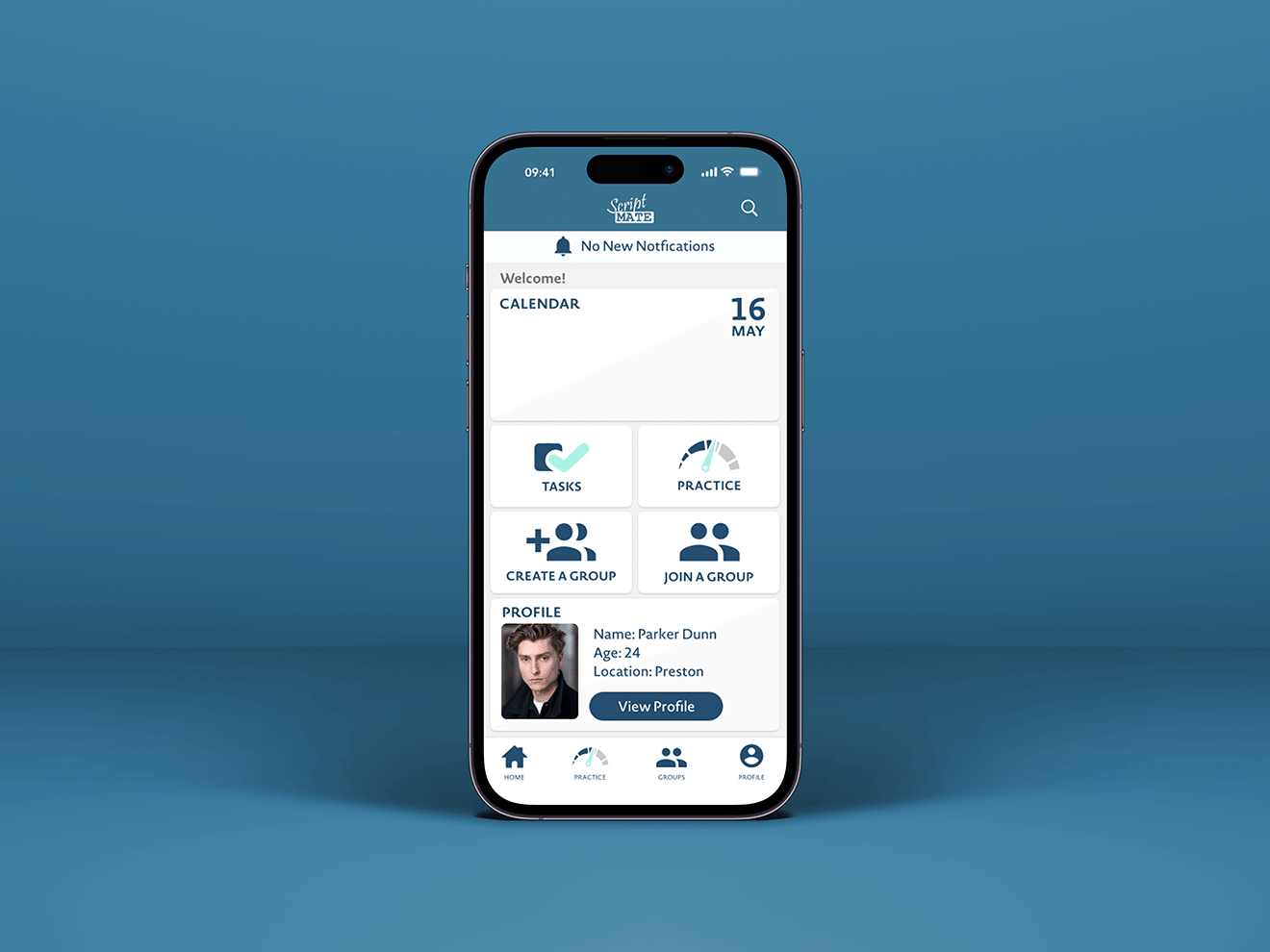
- Practice Mode – combines learning, rehearsing, and improving lines with playback & transcription.
- Rehearsals – run scenes line-by-line with an automated voice or live with cast members online/offline.
- Tasks – Kanban-style board to track progress (To Do → In Progress → Done).
- Groups – central hub for cast/crew to share scripts, notes, and messages.
- Calendar – plan rehearsals, auditions, and performances.
- Profiles – actor details + saved recordings, potentially useful for casting agents.
Wireframing & Prototyping
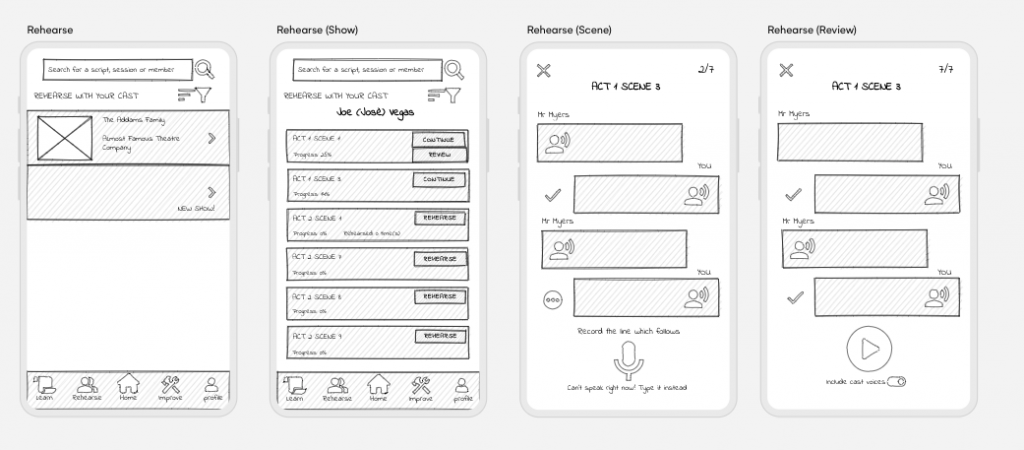
- Started with low-fi wireframes → refined into high-fi prototypes in Adobe XD.
- Iterated the homepage design several times: from monochrome layouts to a more balanced, colourful iOS-inspired interface.
- Developed consistent reusable components for smoother UX.
User Testing
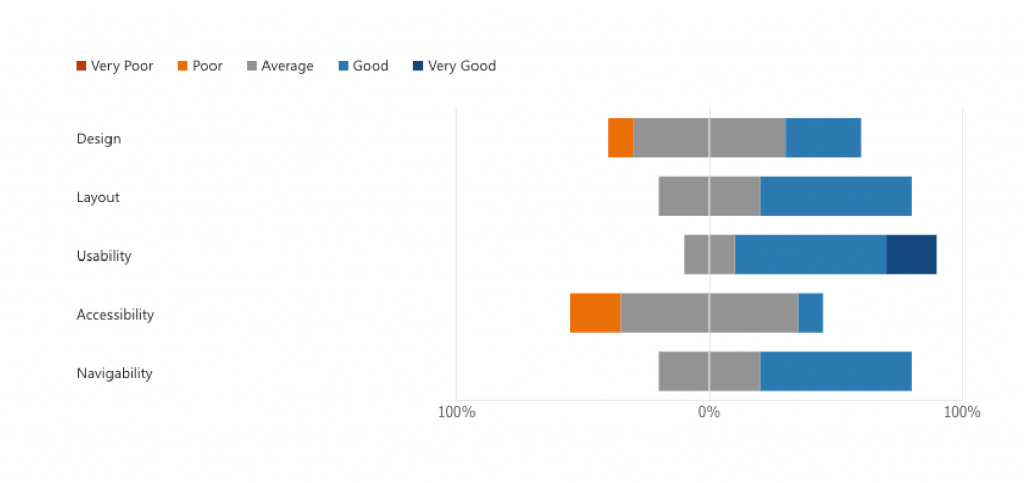
I ran a testing session with 10 actors.
Findings:
- Layout, usability, and navigation rated Good.
- Biggest critique: colour scheme was too flat and heavy.
Improvements Made:
- Introduced accent colours and refined UI depth.
- Simplified menus and streamlined navigation.
- Merged “Learn / Rehearse / Improve” into one Practice flow for clarity.
Outcomes
The final ScriptMate prototype allows users to:
- Learn and rehearse lines with transcription and playback.
- Run group rehearsals online or in person.
- Stay organised with tasks and calendar.
- Collaborate in cast groups and share recordings.
Feedback on the final iteration was very positive, especially around usability and visual improvements.
Reflection & Next Steps
This project taught me the value of iteration and feedback – my initial designs were functional, but constant testing and critique pushed them to a more professional standard.
Key learnings:
- Following iOS design standards elevated the app.
- Colour psychology and spacing dramatically improved usability.
- Time management is crucial in UX projects (and I’ll design in Figma from the start next time!).
Future Development Ideas:
- Add custom scripts for new writing and auditions.
- Assign tasks directly to cast members.
- Live rehearsals with hidden line prompts.
- More accessibility options (typed line input, multiple playback voices).
Prototype & Demo
ScriptMate was more than just a final year project – it was an opportunity to merge my love of theatre with UX design, and create something that could genuinely support actors and directors in their creative process.