
Script Mate
Mobile UX/UI
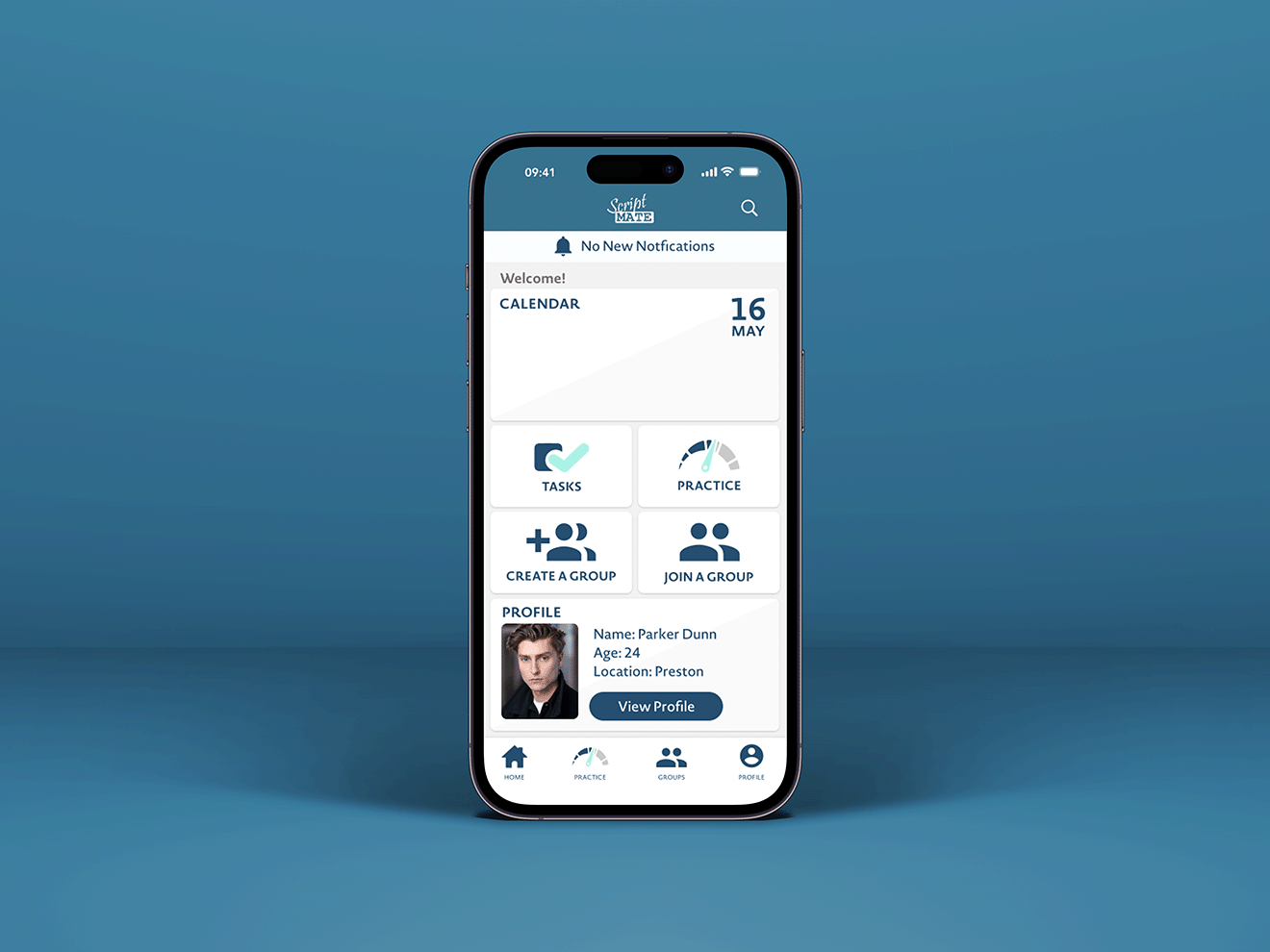
Helping actors rehearse anywhere, with anyone.
Amateur theatre performers struggle to find time to rehearse lines outside of group sessions, and when attendance at rehearsals is poor, there is no good way to practise with a scene partner remotely. Existing tools (like coldRead and Line Learner) addressed parts of this, but none combined line learning, collaborative rehearsal, and company communication in one place.
Overview
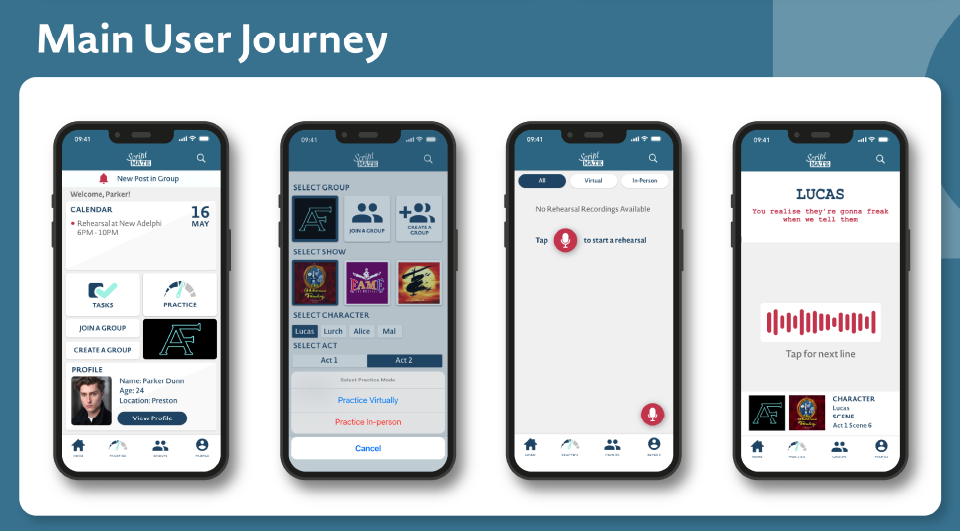
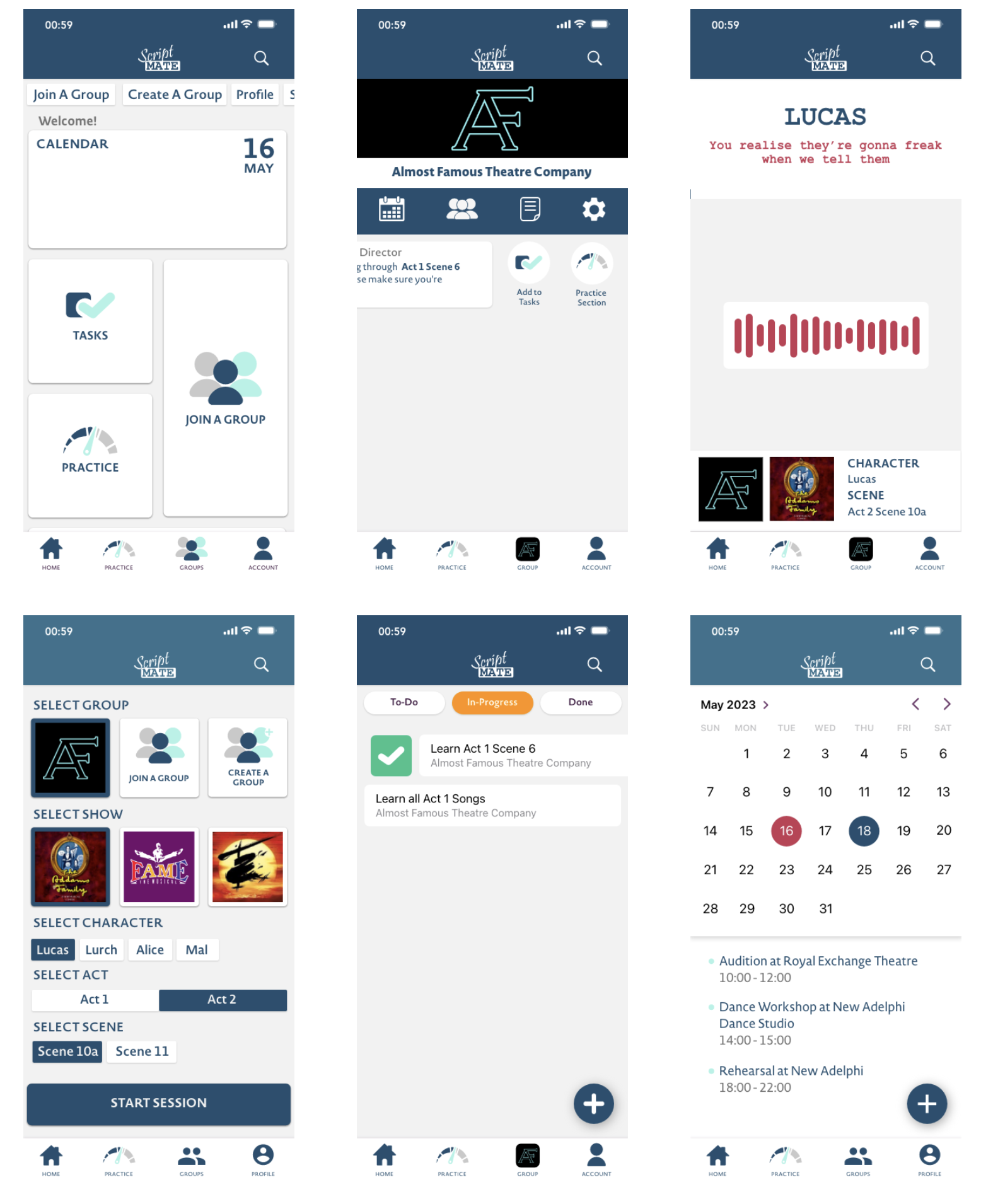
ScriptMate is a mobile app concept designed to help theatre performers learn, rehearse, and improve their lines on the go. Built around the real habits of actors and directors, the app combines a line learning mode, a virtual rehearsal feature using voice recording and transcription, a group communication space, and a task and calendar system for keeping productions on track.
Research & personas
I love starting a project with research, so I began by looking at how amateur actors already learn lines and rehearse, reviewing existing line-learning apps (coldRead, Line Learner) and the way theatre companies coordinate through Facebook Groups, weighing up what worked and where each fell short. To ground the brief in real users, I built out personas covering the different people the app needed to serve: an aspiring actor balancing a day job with auditions, an amateur director managing a cast, a student performer, and a film director.
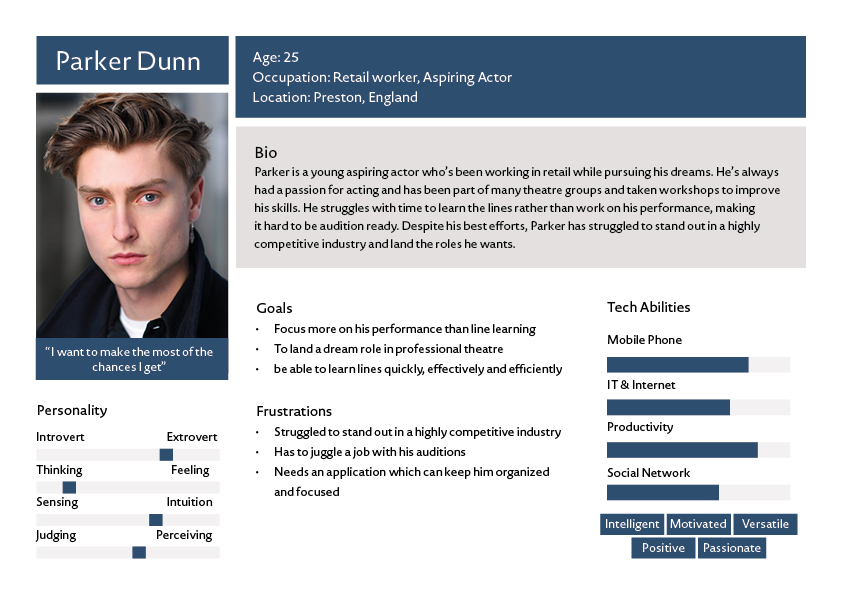
Parker’s goals (focusing on performance rather than line-learning, and finding an app that keeps him organised around a busy schedule) directly shaped the decision to combine Learn, Rehearse, and Improve into a single Practice flow, and to build in a calendar and task system from the outset.
Design Approach
From the personas, I mapped requirements for both actor and director roles, then moved through a sitemap, lo-fi wireframes, and hi-fi screens in Adobe Illustrator before building the interactive prototype in Adobe XD.
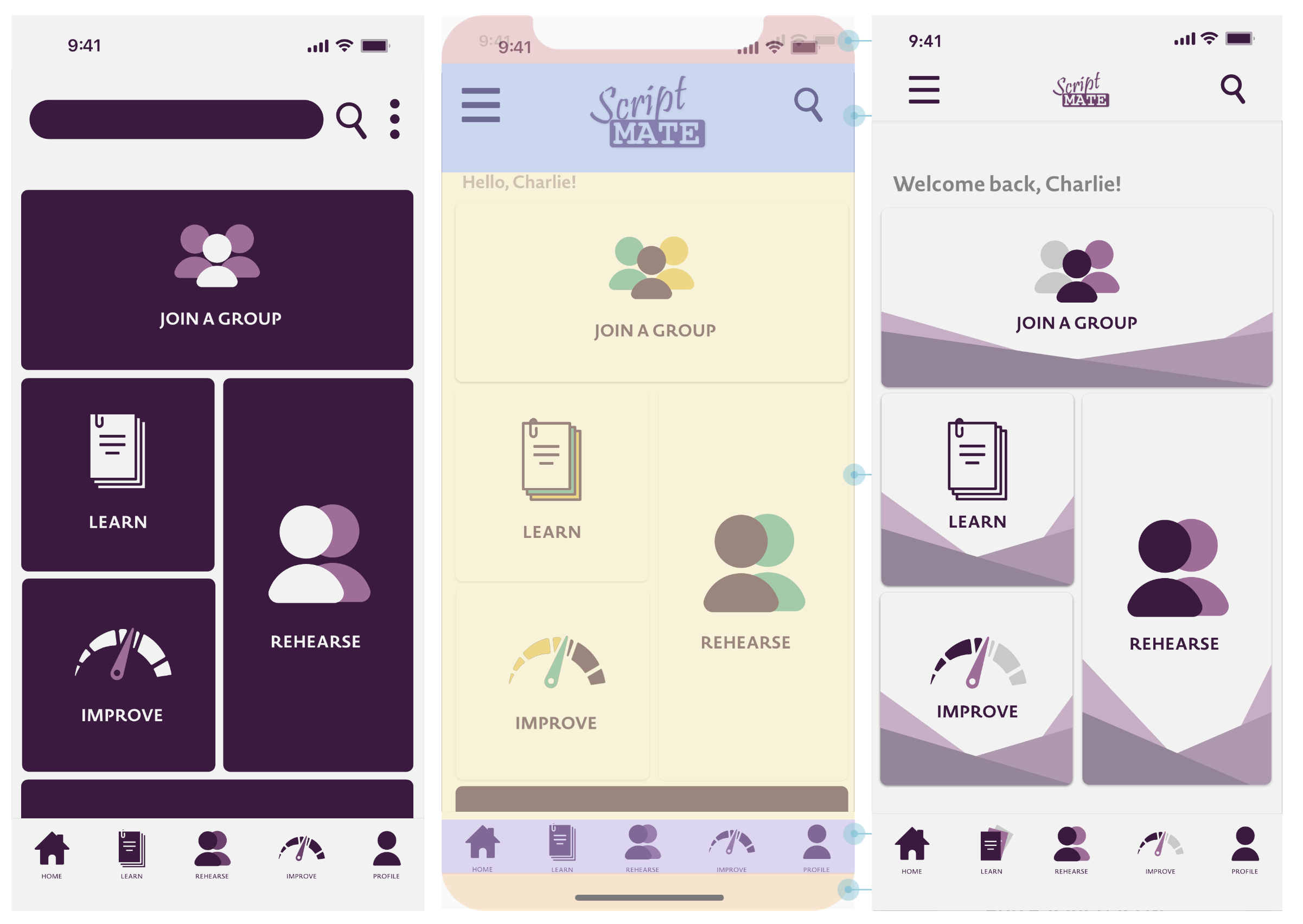
The home screen went through several rounds of revision. The first version used a dark, monochromatic purple that early feedback flagged as flat and heavy, with too much empty space. I iterated through a brighter palette with accent colours and a custom illustrated background before settling on the final layout, reducing button sizes so the full menu was visible without scrolling, and adding the ScriptMate logo to the header.
Key decisions
Why combine Learn, Rehearse, and Improve into a single Practice mode?
All three flows started the same way, so keeping them separate created unnecessary friction. Merging them into one entry point simplified the navigation and reduced the cognitive load of deciding which mode to use.
Why move away from a full scrolling script to a line-by-line format?
Presenting one line at a time kept the performer focused on delivery rather than scanning ahead. It also made voice transcription (which validates each line before moving to the next) more reliable and natural to interact with.
Why change the colour scheme after user testing?
The initial dark purple made the interface feel flat and heavy, with too much empty space. User testing flagged design and accessibility as average. Shifting to a lighter background with purple as an accent immediately improved legibility and the perceived quality of the prototype.
User Testing
The prototype was tested with ten actors against ethical approval guidelines, scoring it across design, layout, usability, accessibility, and navigability. Layout, usability, and navigability all came back “Good”, while design and accessibility landed at “Average”, with most comments pointing at the colour and visual design of the app.
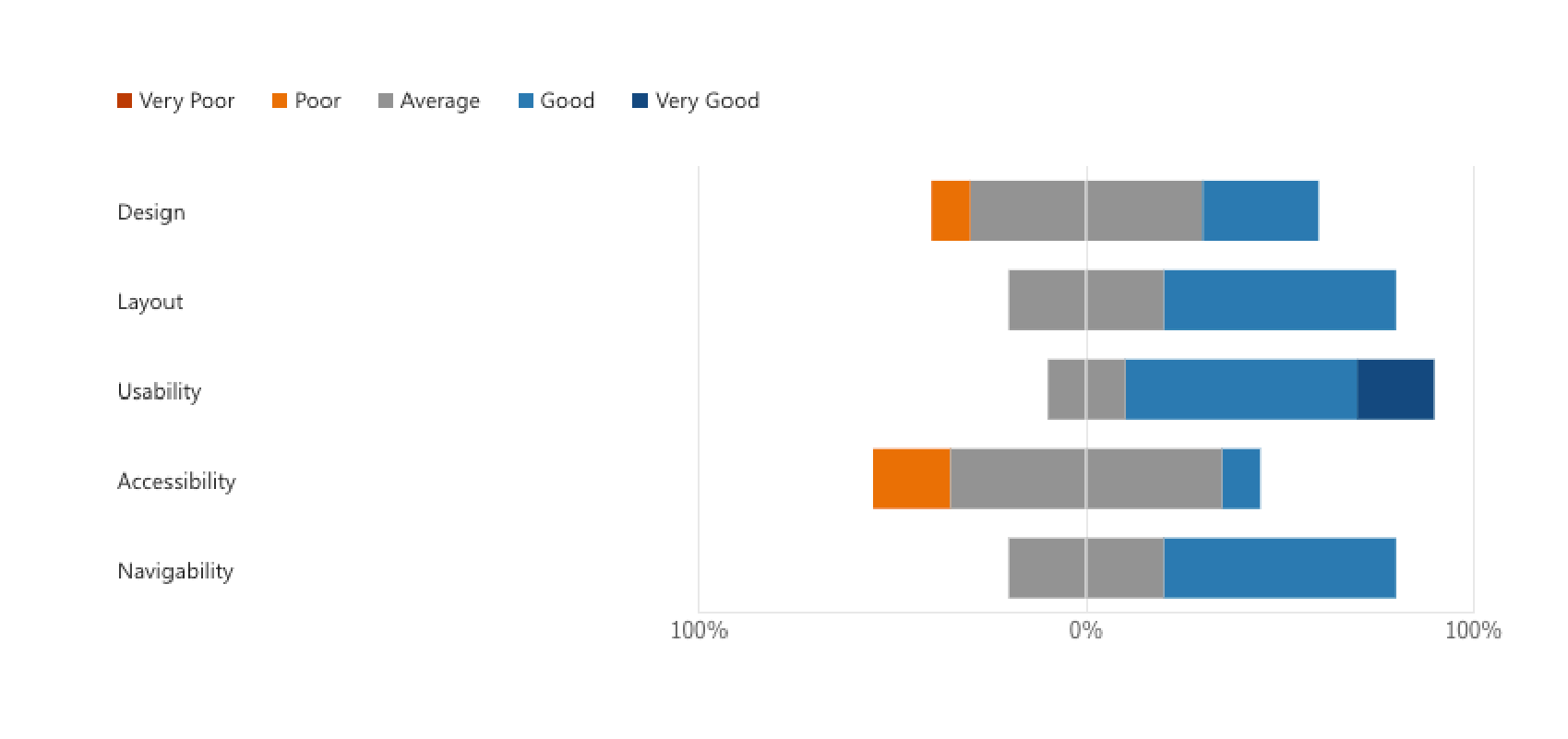
That feedback drove the colour change and home screen redesign above. A second round of testing after the changes showed a marked improvement, with testers responding positively to the new colour scheme and the overall quality of the prototype, leaving only minor notes on logo placement.
Outcome
Delivered a 20-screen interactive prototype in Adobe XD covering onboarding, practice mode, virtual and in-person rehearsal, groups, tasks, calendar, and profile.
If the project continued
- Add custom script/scene upload for auditions and new writing
- Assign tasks to individual group members
- Re-record specific lines within a completed scene
- Live rehearsal mode with hidden line prompts
- Type-out-lines accessibility option
- Multiple calendars for different productions
This project taught me how much good research and testing changes a design: a lesson I’ve carried into every project since.