
Harvest Communications
Website Redesign & Build
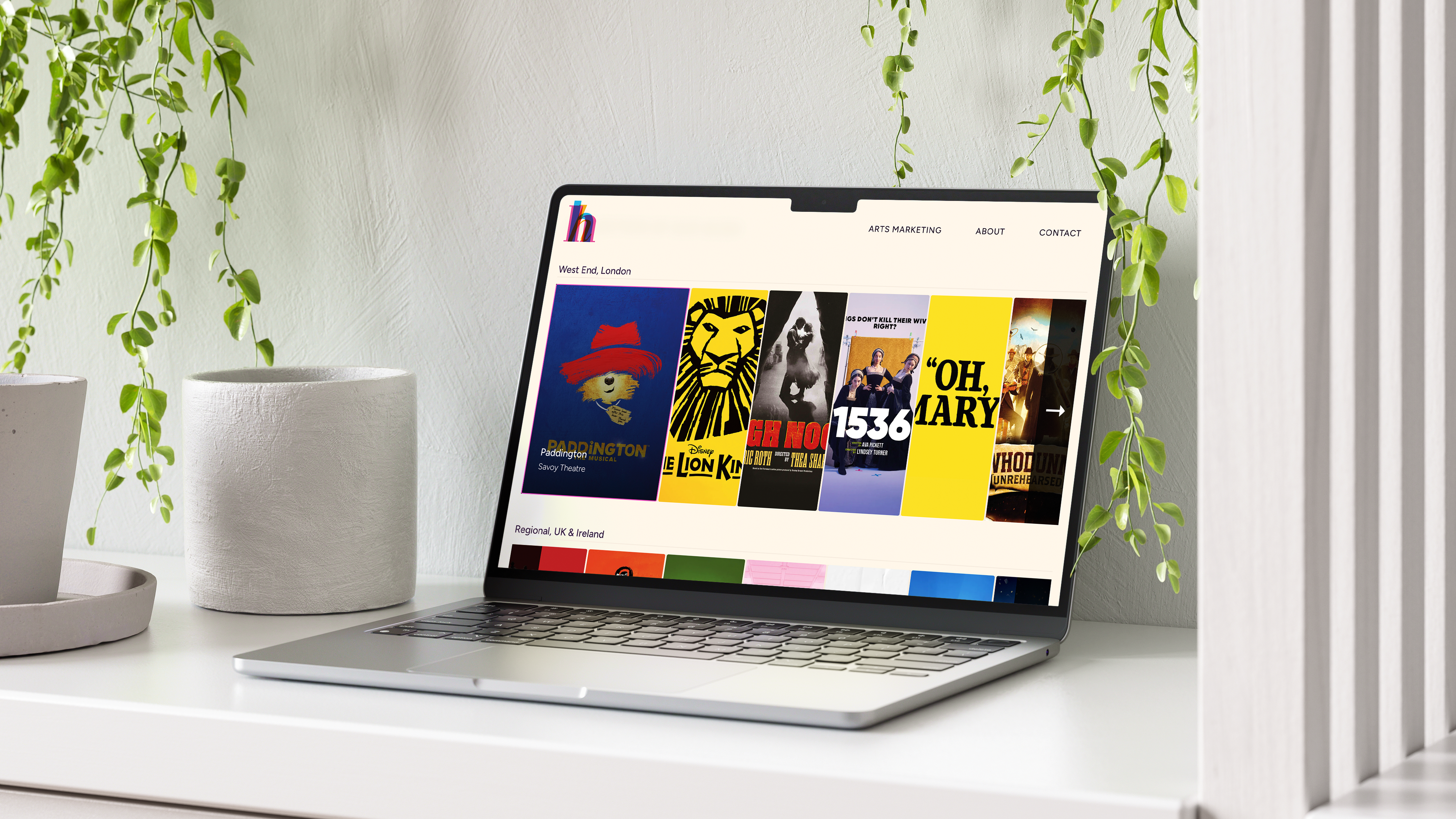
Building a website from scratch, end to end.
Harvest Communications is a print management company specialising in theatre programme production across the UK and Ireland. When they brought design in-house for the first time in January 2026, the website needed to follow. I rebuilt it from scratch: wireframing, design, development, and deployment.
A Weebly template standing in for a real product.
The existing site was a Weebly template. It worked, technically. But it didn’t communicate what Harvest did, didn’t reflect the quality of their output, and wasn’t generating enquiries. For a company staking its next chapter on in-house creative expertise, the website needed to catch up.
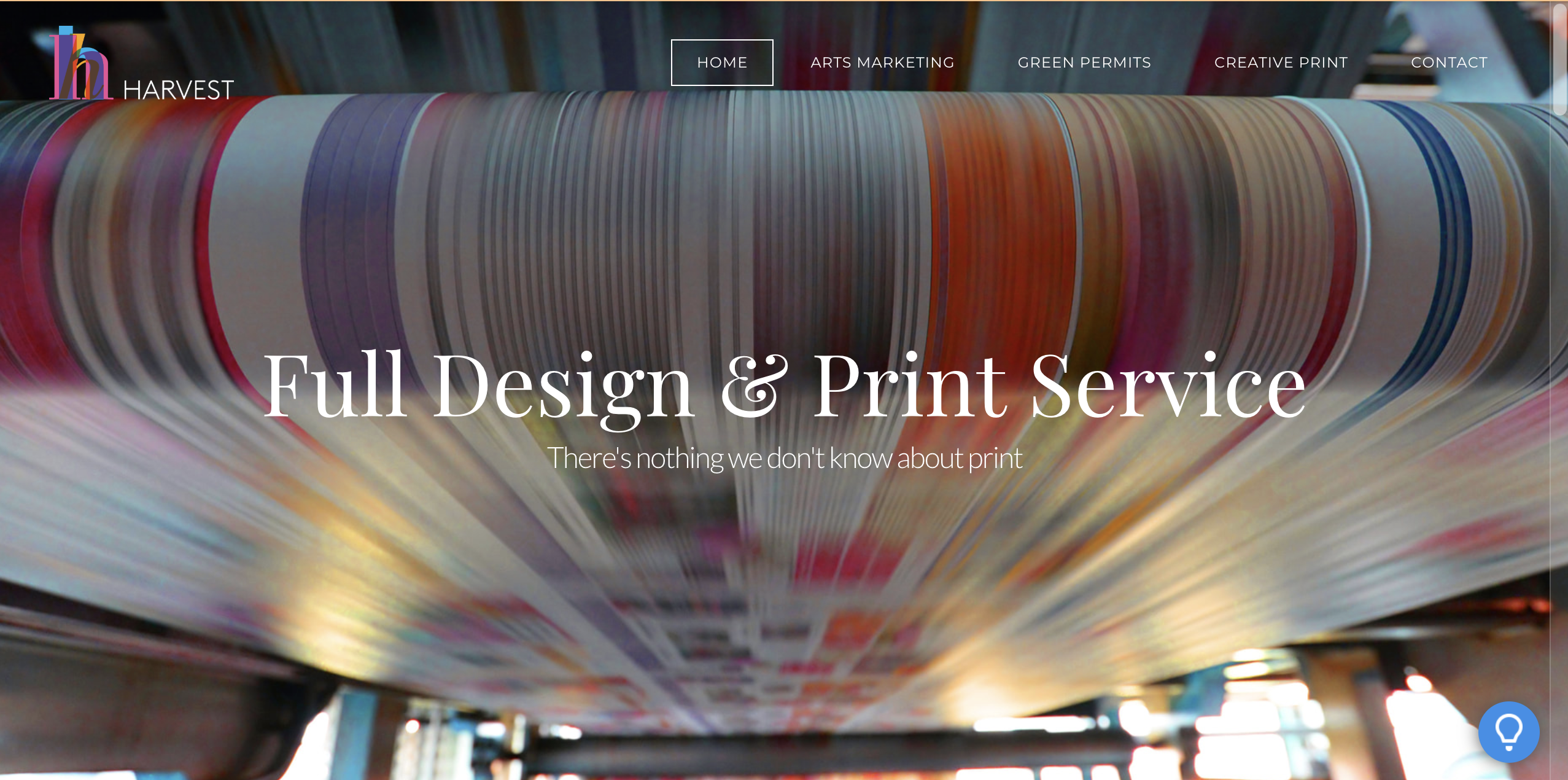
One honest gap at the outset: I didn’t pull analytics from the Weebly site before it was removed. I had no baseline data, no entry pages, no drop-off points, no conversion reference. It was an early lesson in capturing existing data before dismantling what’s there.
Who’s actually using this site.
Harvest’s primary audience are theatre production teams and venue managers. These are not casual browsers. They arrive with a specific task, usually to commission a programme, and they are time-pressured by definition. A West End production manager doesn’t have twenty minutes to work out whether a supplier can deliver. They need to establish competence quickly and either make contact or move on.
That framing shaped almost every decision that followed: what to put first, what to cut, how long any given page should be, and where to make the path to contact as short as possible.
Finding the direction.
With no existing design system and no inherited direction, I produced three distinct homepage layouts in Figma, each with a different structural logic, and presented them to non-designer colleagues. It was comparative layout testing at a lightweight scale, but it served a useful function. When you’ve been staring at three layouts for two weeks, you lose the ability to see them clearly. Fresh eyes don’t.
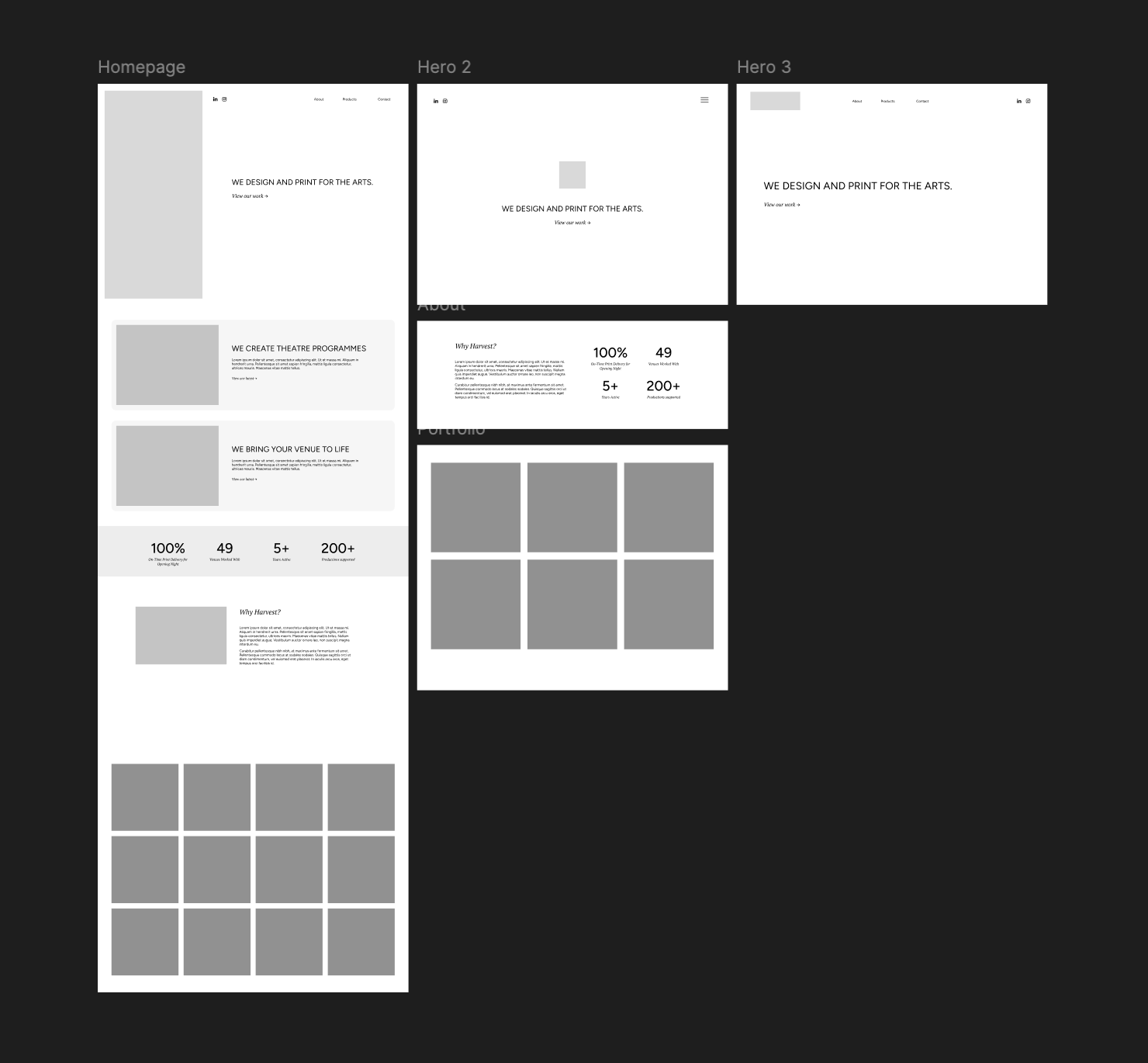
The chosen direction leaned into a design-studio aesthetic: clean, confident, quality-led. That aligned with where Harvest was positioning itself.
Information architecture.
The primary user is time-pressured and task-oriented. That told me what the hierarchy needed to be: service comes first, evidence of the work follows, trust signals come next, then detail, then contact. That logic drove the homepage section order and the navigation structure, and when the site expanded into a multi-page build, it drove the page architecture too.
The navigation moved to a hamburger pattern, not as a mobile fallback, but as a considered decision to contain a growing link structure without overloading the visible interface. The footer mirrors the full sitemap, so the complete site structure is always accessible.
Getting to the work faster.
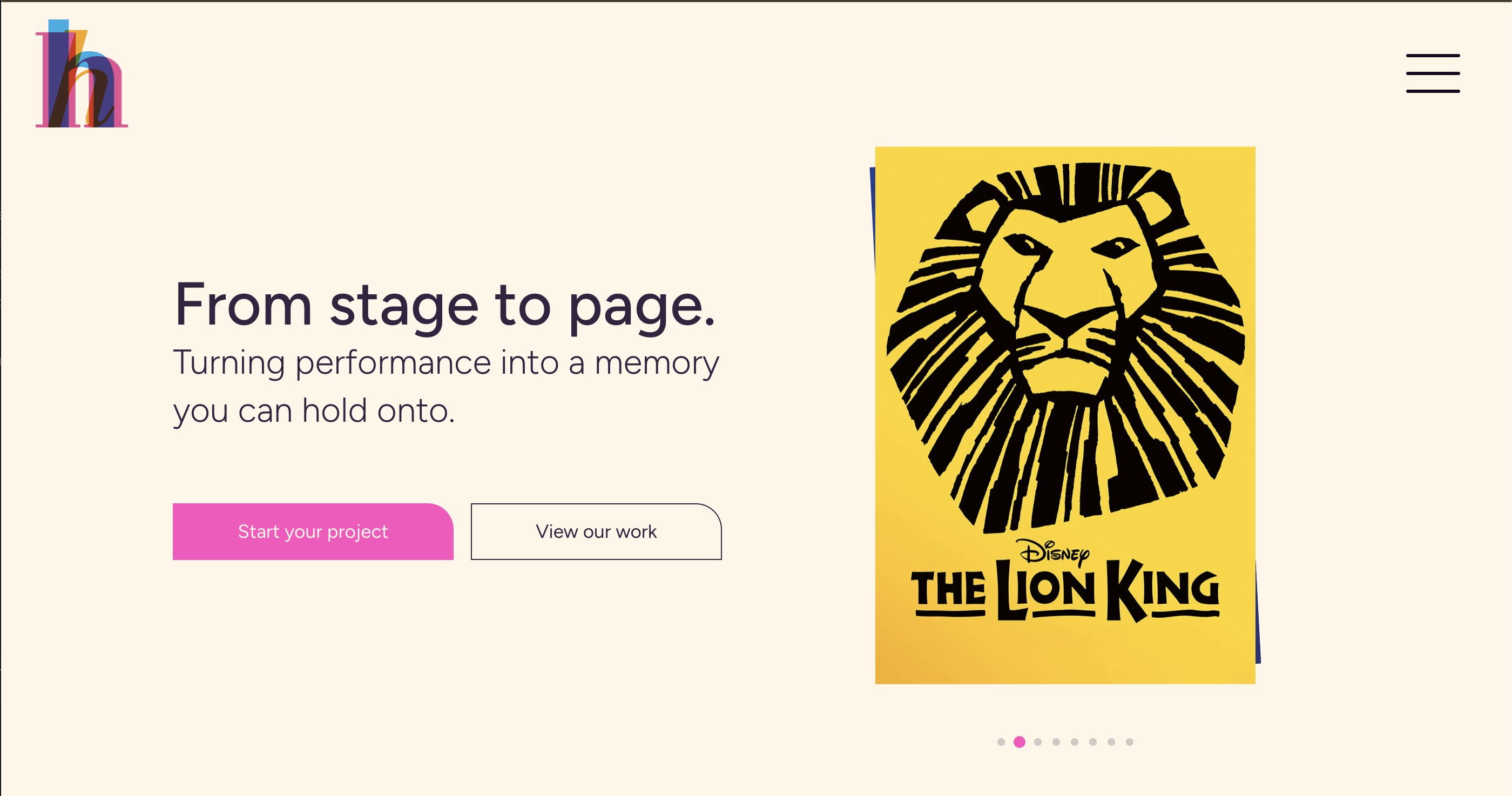
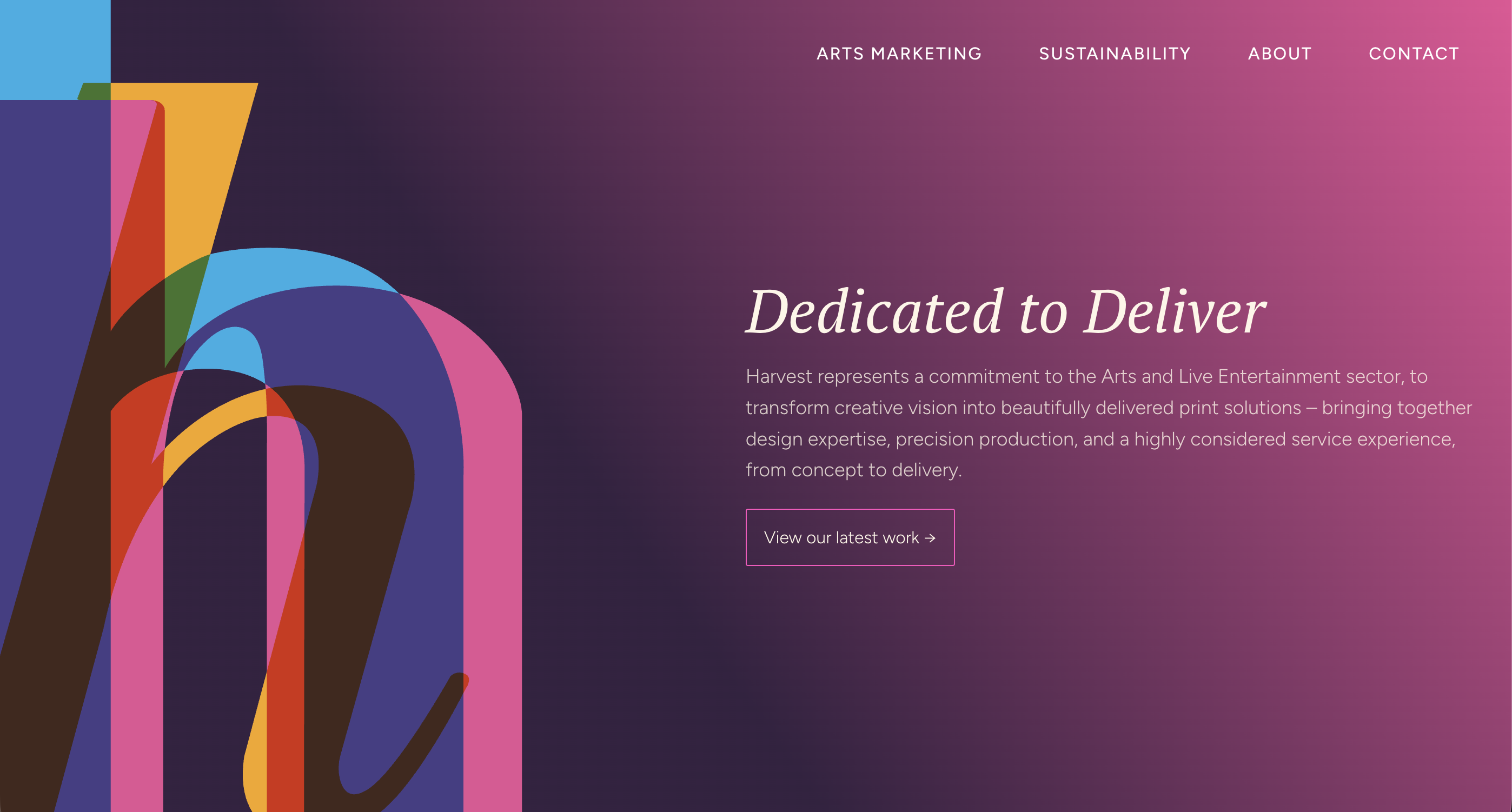
The hero went through three versions. The first led with a large logomark and a gradient. It looked like a design exercise rather than a client-facing product. I redesigned it to lead with the product itself.
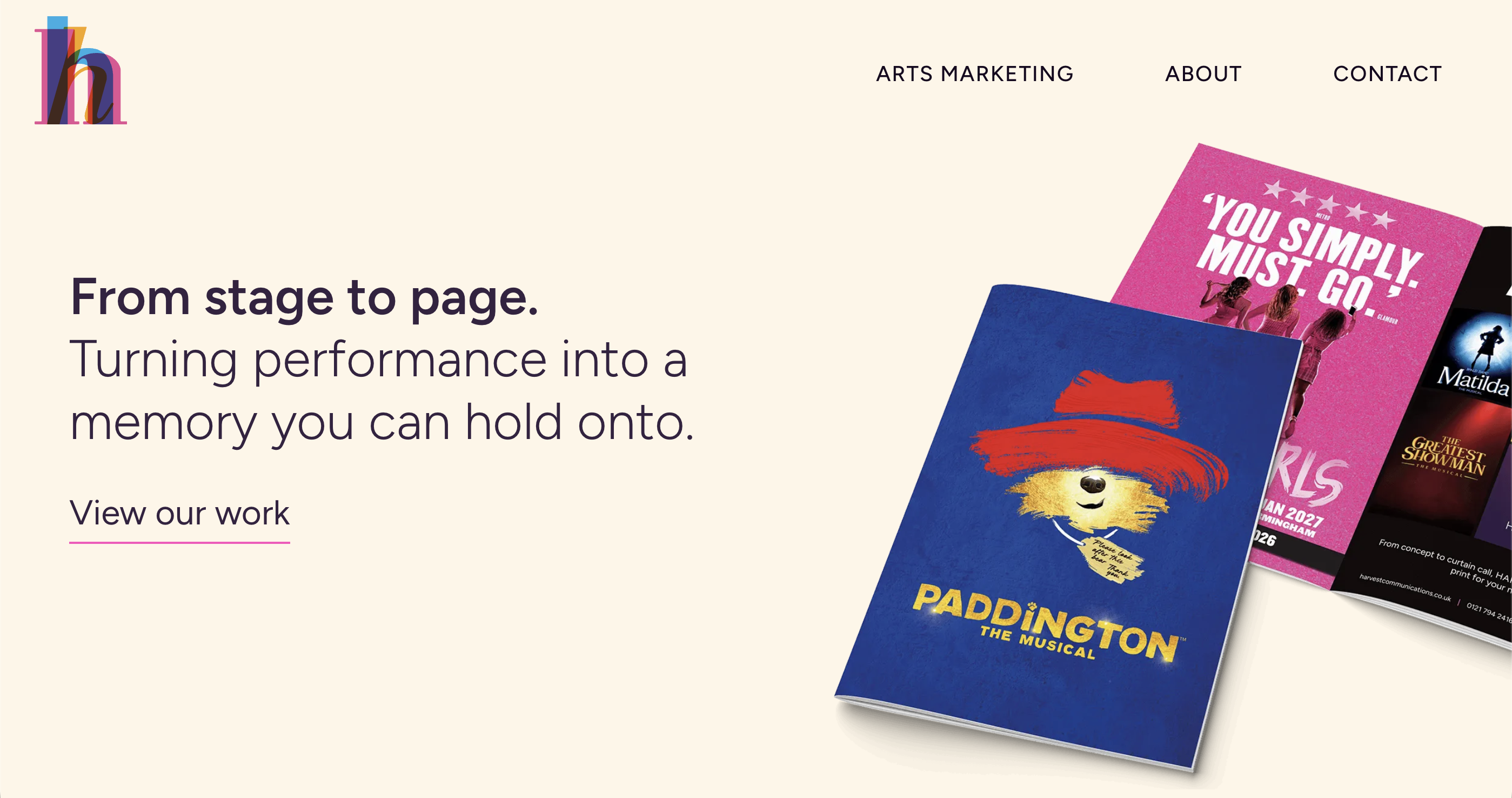
The current version replaces the static mockup with a carousel of programme covers pulled from the project data. Updating featured programmes requires no design intervention: you update the project, the hero updates. It’s a maintainability decision as much as a design one.
There’s also an anchored “View Work” button in the hero that scrolls directly to the portfolio. For a user whose primary task is to evaluate the quality of the output, shortcutting that path was the right call.
The portfolio bookshelf.
The brief to myself was to present work in a way that connected the digital experience to the physical product. The solution was a bookshelf: programme spines arranged the way you’d find them in a theatre foyer.
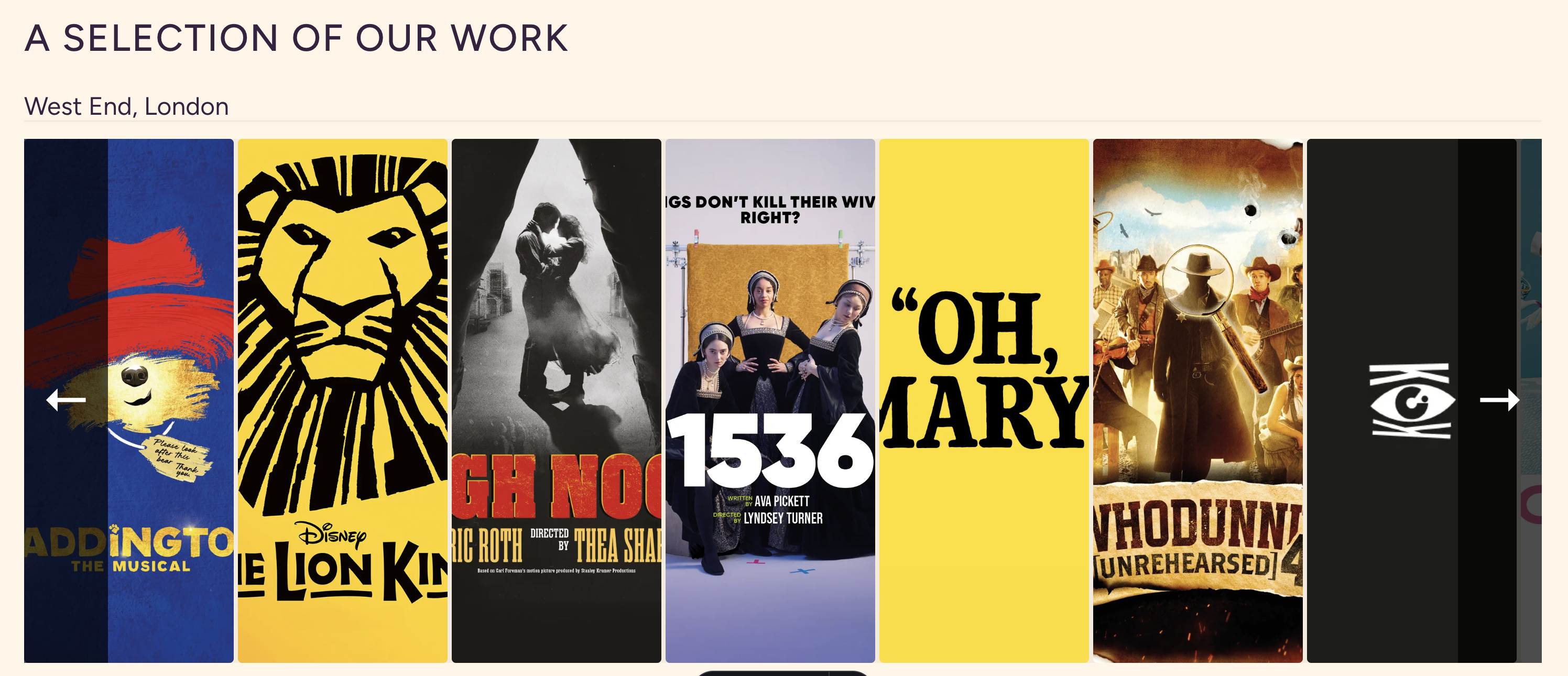
It’s the same cognitive experience as walking up to a display and picking something out. For a user who already understands what a theatre programme is, it communicates format and scale at a glance, without a caption needed.
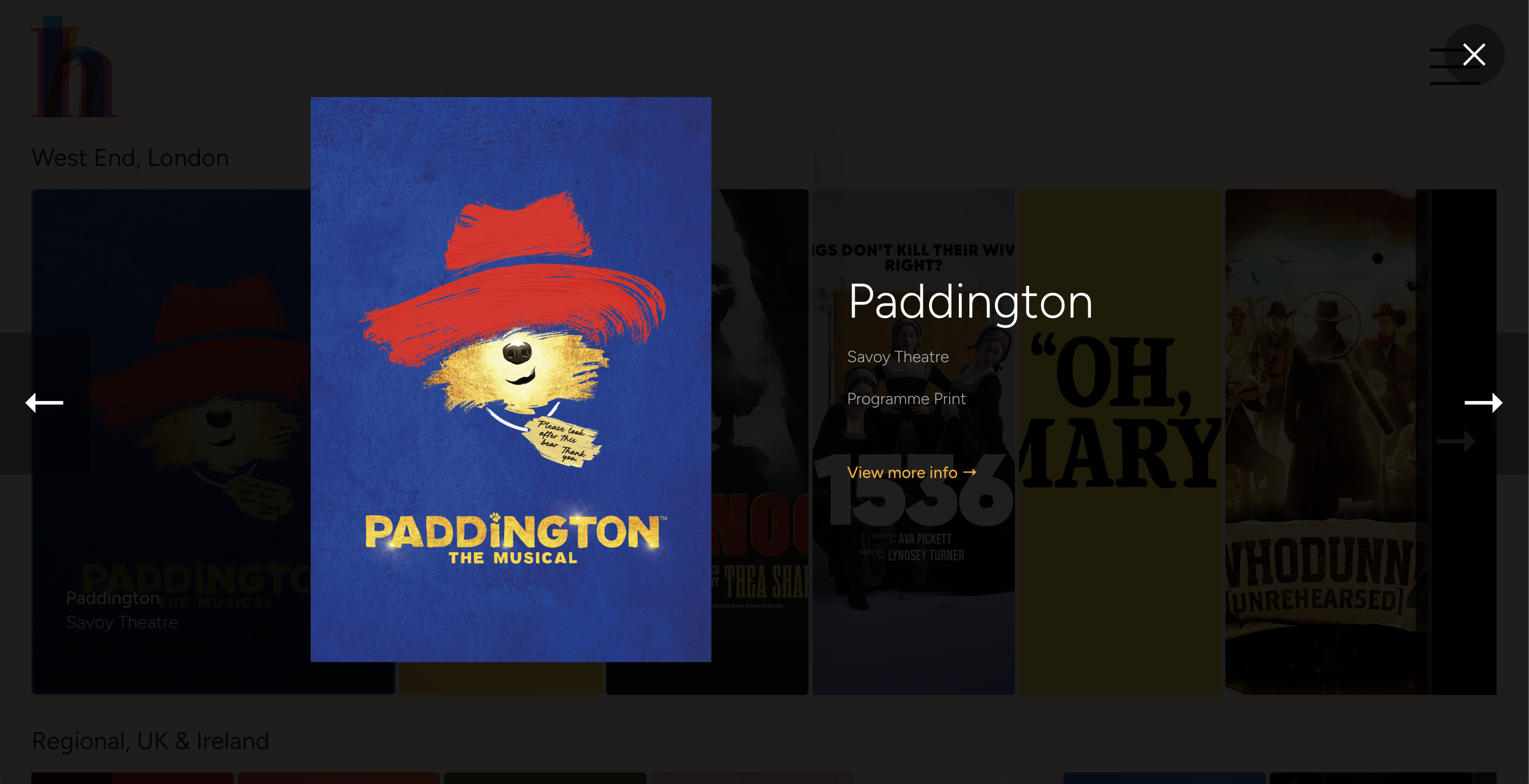
I later separated the bookshelf into West End and Regional, because these operate differently for the business and for the client. A venue manager commissioning a regional touring programme has different expectations than a West End producer. Separating them makes it easier to find what’s relevant, and implicitly shows that Harvest understands that distinction.
Capturing intent at the point of contact.
The contact form was extended beyond name, email, and message. Each enquiry now captures which service the person is interested in.
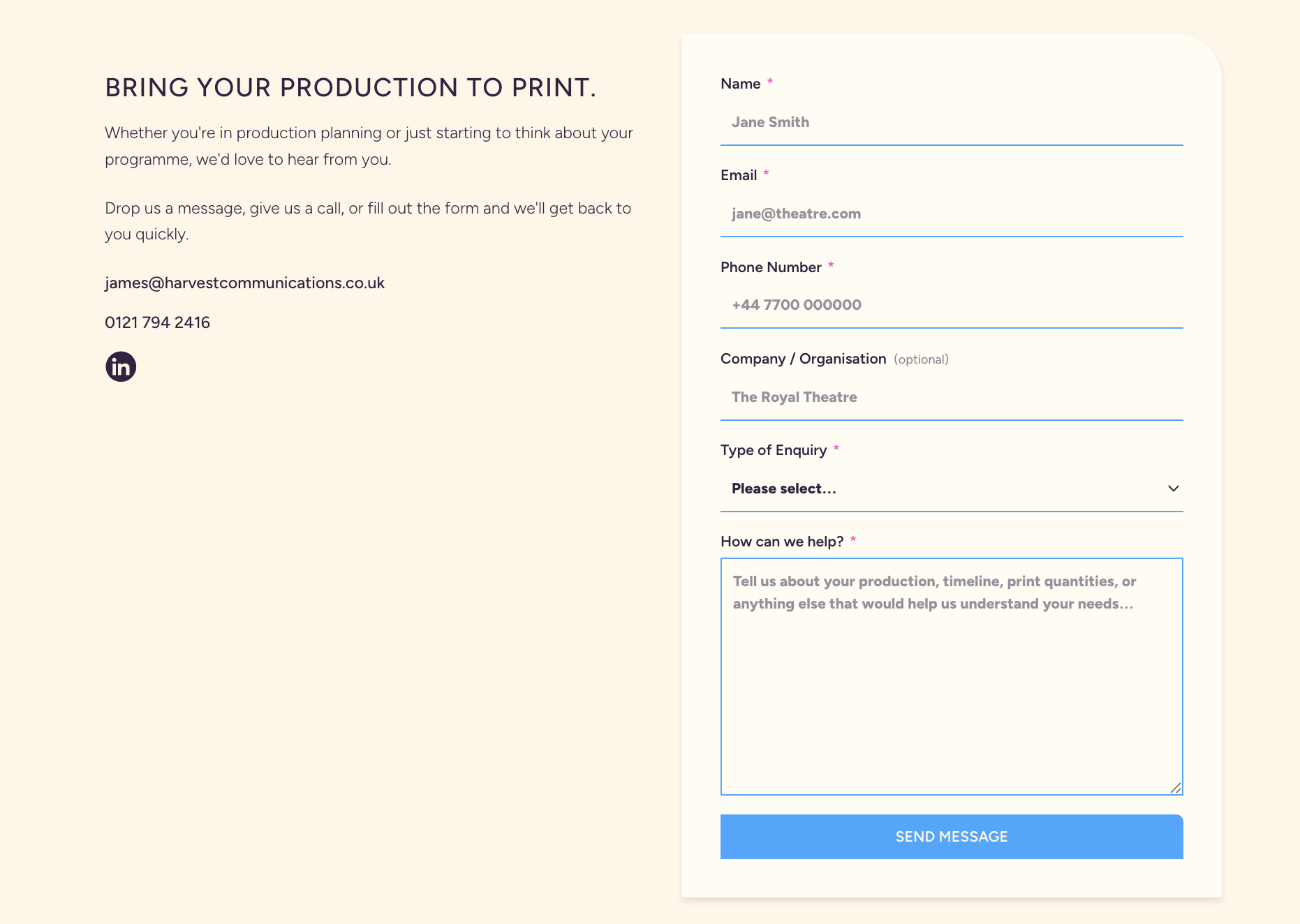
From a UX perspective this does two things: it sets an expectation with the user (Harvest knows what they’re coming about before the first conversation), and it gives the business structured data about where leads are coming from. Knowing which service pages are generating enquiries tells you where to invest.
The FAQs page.
This was a deliberate strategic addition, not a box-ticking exercise. The most common pre-commission questions, timelines, formats, pricing, were being answered individually by email. That friction existed on both sides: the client had to wait for a response, and Harvest had to write the same answer repeatedly.
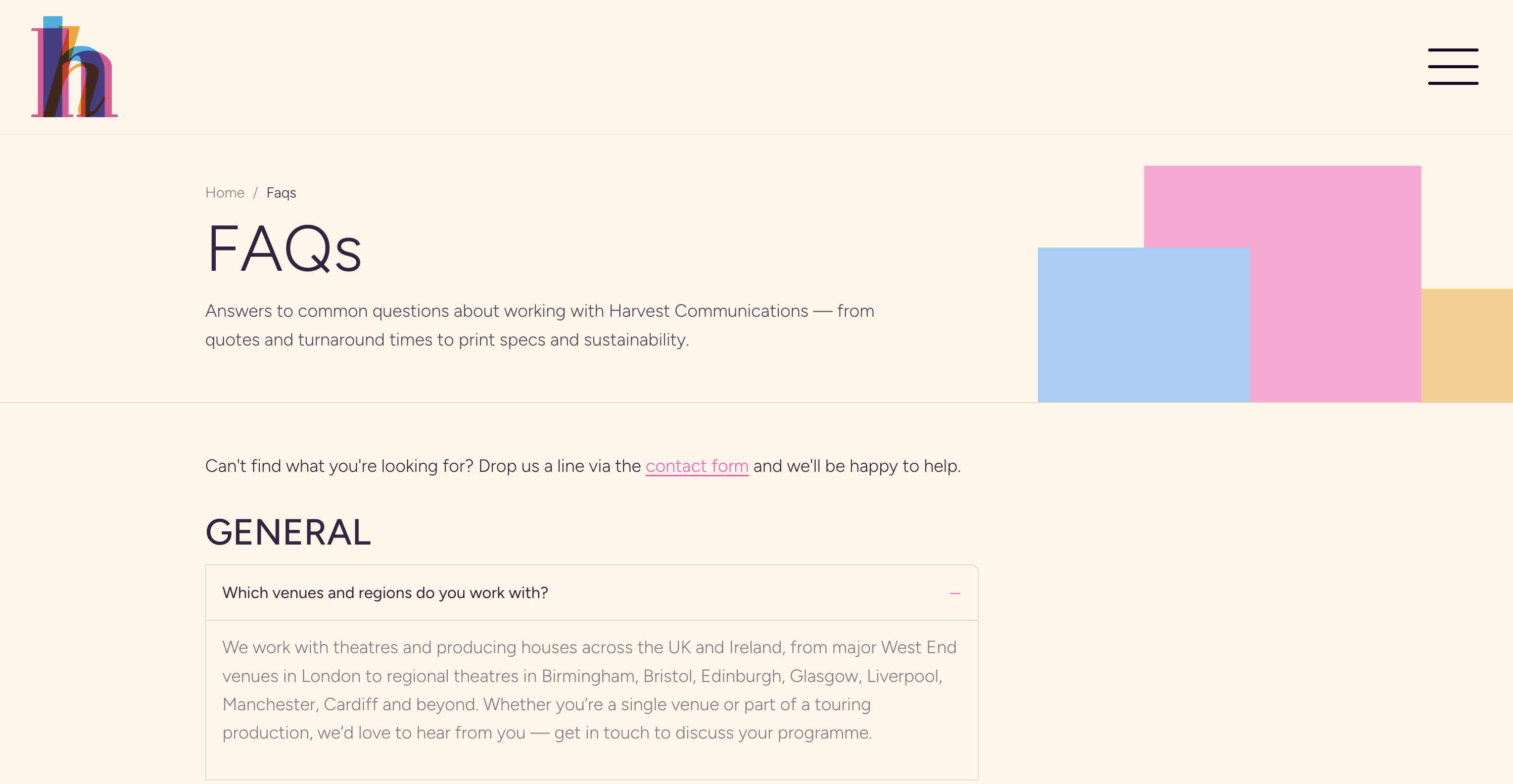
A well-structured FAQs page removes that friction entirely. It gives prospective clients the information they need to decide whether to proceed, without requiring them to make contact first. It reduces the barrier to conversion by moving the qualification earlier in the journey.
Service pages as user journeys.
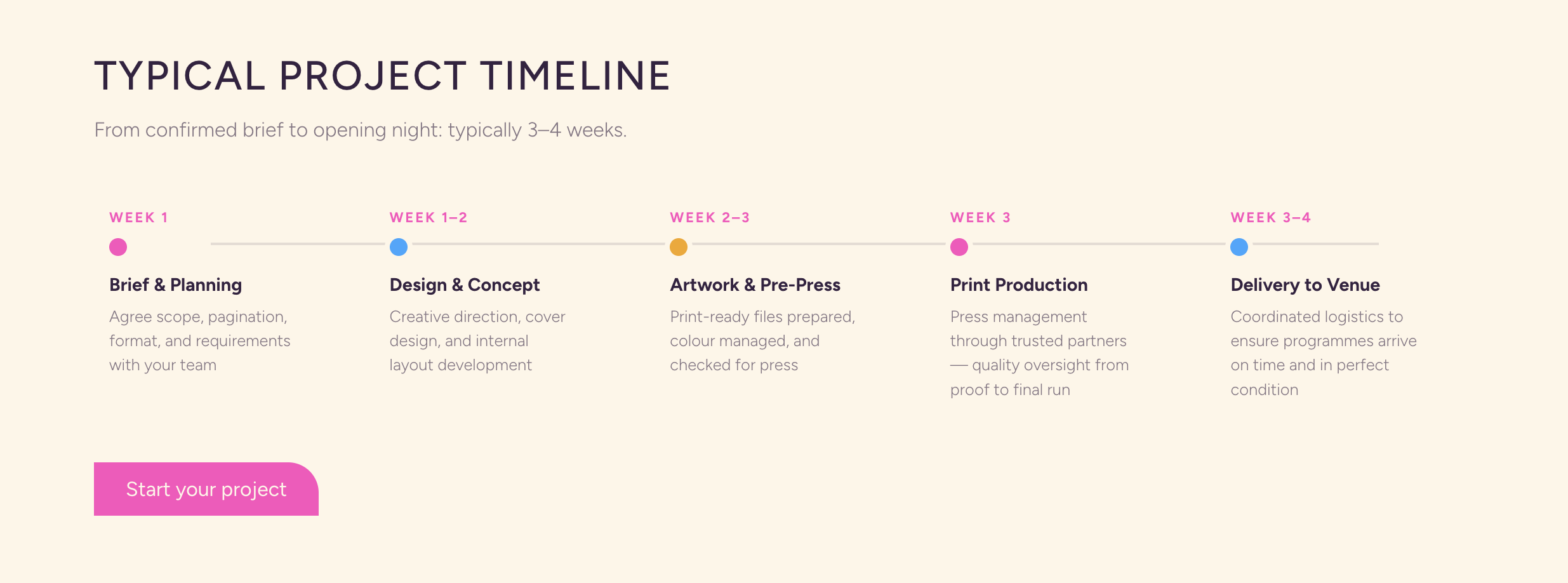
The theatre programmes page is structured as a sequence of answers to the questions a production manager would be asking on arrival. What do you actually produce? What’s the process? How long does it take? What formats do you offer? That sequence mirrors the mental model of someone evaluating a new supplier: establishing capability before getting into logistics.
What this project demonstrates.
End-to-end ownership, no handoff: Wireframing, design, development, and deployment, all mine. Every decision was made knowing it was going straight into production.
Design for a specific user, not a generic one: The time-pressured B2B audience shaped the hierarchy, the navigation pattern, the hero approach, and the path to contact. The design earns the right to get into detail by establishing the basics first.
Design systems thinking applied to a live product: One border-radius motif, flat on three corners and rounded on the top-right only, applied to every button, card, tag, and image element on the site. Defined once, applied everywhere. The result is a site that doesn’t require per-update design decisions to maintain.
Honest about what I don’t know: No post-launch analytics to report yet, and no baseline data from the Weebly site. I didn’t capture it before the old site was removed, and I’ve said as much. The decisions I made about the primary user were directionally right. They were also intuitive rather than evidenced. That’s a meaningful difference, and one I’m aware of.
This project taught me more than any other, largely because there was no one to defer to. Every decision, structural, visual, technical, was mine to make and mine to justify.