
Overview
For my university module Enhanced Digital Innovations and Technologies, I created an interactive 3D bedroom environment using Blender and Unity. The aim was to test my modelling, lighting, and interaction skills in a real-time environment while exploring the potential of immersive digital spaces.
This project challenged me to move beyond static models and bring an environment to life with interactivity, lighting effects, and animation.
The Challenge
I wanted to build an environment that was visually realistic but also interactive. The goals were:
- Strengthen my 3D modelling skills in Blender.
- Learn how to build immersive spaces in Unity.
- Experiment with C# scripting for interactive elements.
- Create an environment that felt modern, minimal, and lived-in.
I considered three ideas: a theatre, a home studio, and a bedroom. I chose the bedroom because it struck the right balance between ambition and feasibility.
Design & Development Process
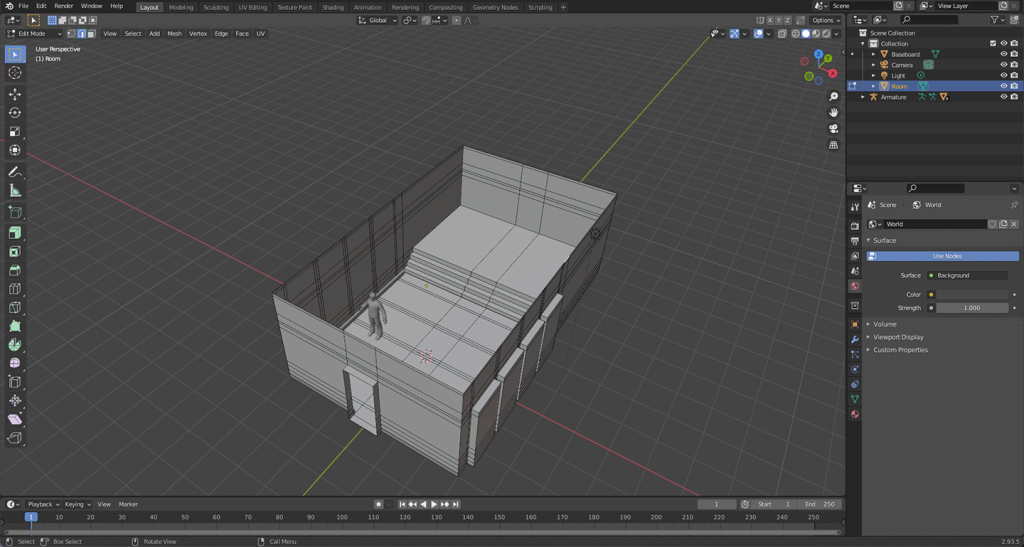
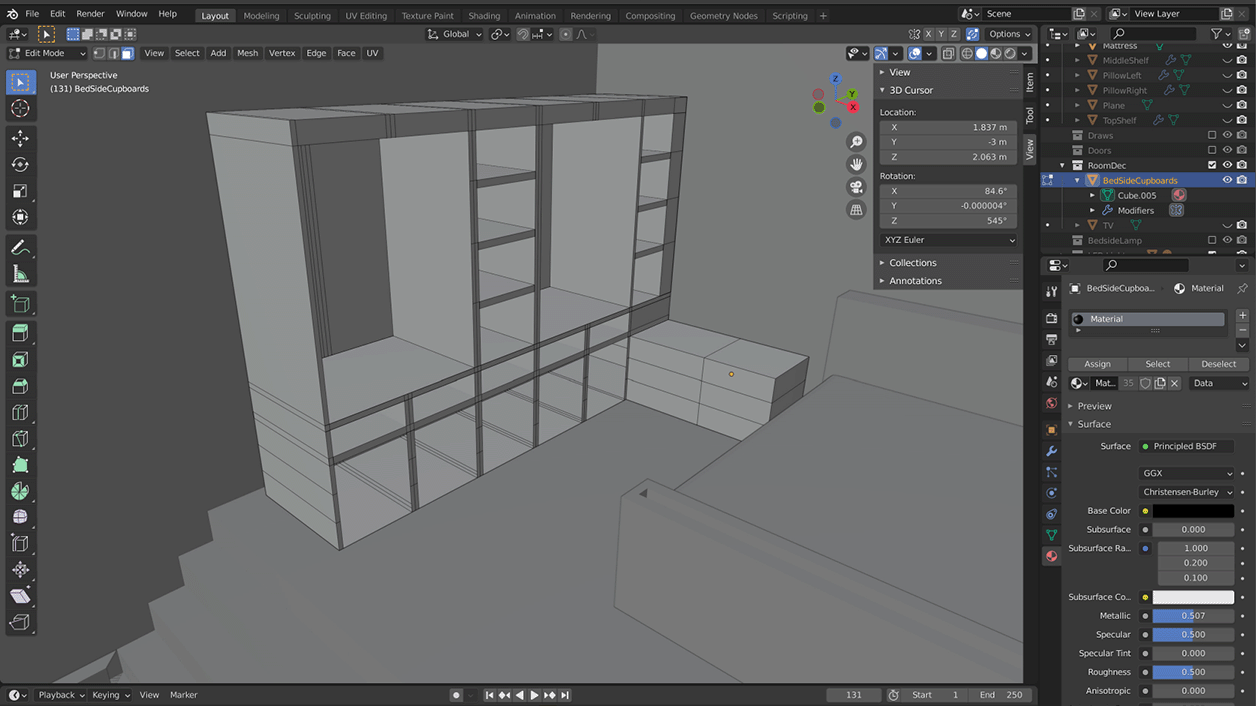
1. Environment Modelling in Blender
- Built the room layout with correct mesh topology.
- Created core furniture: bed, wardrobes, bedside tables.
- Used modifiers (mirror, subdivision, array) to speed up construction.
- Added details like a feature wall, shelving, and TV slot.
2. Adding Materials & Lighting
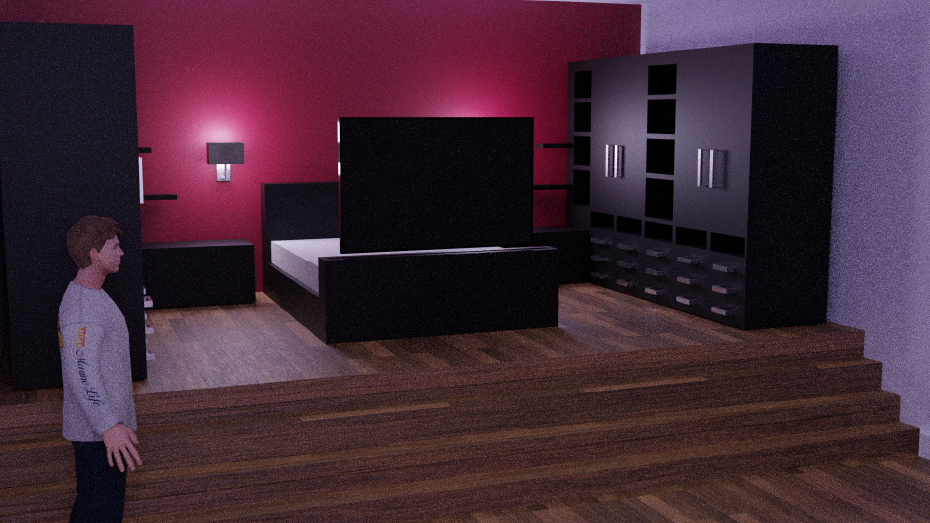
- Applied realistic textures for wood, fabric, and walls using AmbientCG assets.
- Experimented with spotlights, bedside lamps, and a central room light.
- Adjusted reflections with reflection probes for realism.
- Rendered early versions in Blender to preview mood and lighting.
3. Unity Import & Interactivity
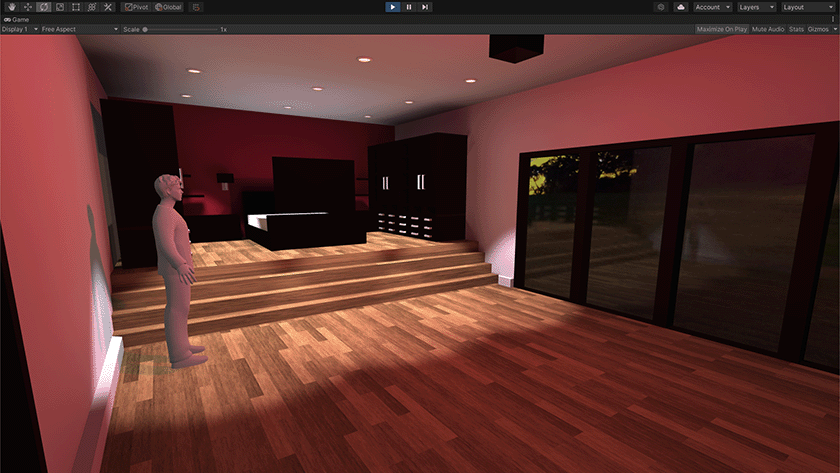
- Imported Blender models into Unity, fixing material translation issues.
- Used C# scripting to add:
- A working light switch (toggle on/off).
- A moving TV rising from the bed when the player approached.
- A video player to stream content on the TV screen.
- Implemented colliders and navigation so the player could explore the space.
4. Detailing & Polish
- Designed realistic bedding (duvet + pillows) using physics in Blender.
- Decorated the room with plants, artwork, and imported models.
- Tweaked lighting intensities, reflections, and post-processing to set the right mood.
Outcomes
The final product was a modern, interactive bedroom environment where the user could:
- Explore in first-person view.
- Interact with the light switch.
- Watch a TV that emerges from the bed and plays video content.
- Experience a realistic space with textured bedding, furniture, and mood lighting.
Feedback on the demo highlighted the immersive atmosphere and functional interactivity, though I identified future improvements such as animating wardrobes and adding more decorative elements.
Reflection & Next Steps
This project significantly improved my confidence with:
- Blender modelling workflows (mesh topology, physics, modifiers).
- Unity lighting and materials.
- C# scripting for interactivity.
If I had more time, I would:
- Add interactive wardrobes with mirrored doors.
- Improve lighting dynamics further.
- Expand into adjoining rooms (bathroom, games room).
Overall, this was a rewarding project that showed me the potential of combining 3D modelling, real-time rendering, and interactivity.
Demo
This case study demonstrates how I can conceptualise, design, and implement immersive environments, bridging 3D design and interactive technology.