Category: Blender

All projects that utilise Blender’s software

  • Hope Mill Theatre

    Hope Mill Theatre

    Overview

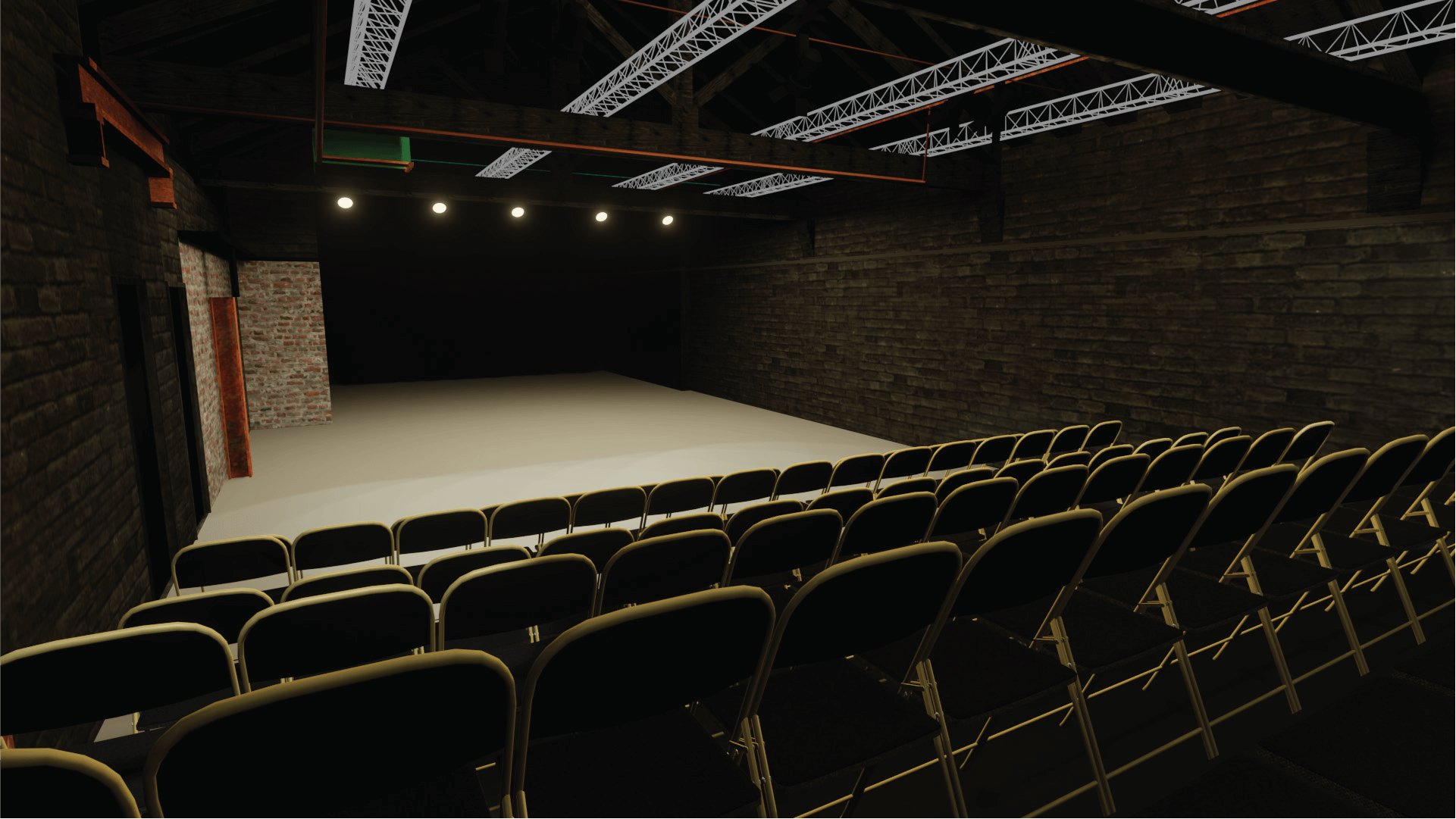
    For my university module Negotiated Brief, I collaborated with Hope Mill Theatre, an independent venue in Manchester, to create a detailed 3D digital recreation of their performance space.

    The aim was to explore how 3D design could enhance the theatre experience — providing an accurate, interactive representation of the venue for future use in planning, marketing, and virtual experiences.

    This project combined my interests in theatre and 3D design, challenging me to bring a real-world space to life through precise modelling, lighting, and texturing.


    The Challenge

    I wanted to develop a 3D model that not only looked realistic but could also serve as a practical digital asset for the theatre. The goals were:

    • Build an accurate digital version of Hope Mill Theatre from floor plans.
    • Develop my architectural modelling and scaling skills in Blender.
    • Learn how to apply realistic materials using Adobe Substance.
    • Prepare the model for future use in Unity or interactive applications.

    The biggest challenge was interpreting architectural floor plans and photographs to create a 3D space that matched the physical theatre — without being able to visit the venue in person.
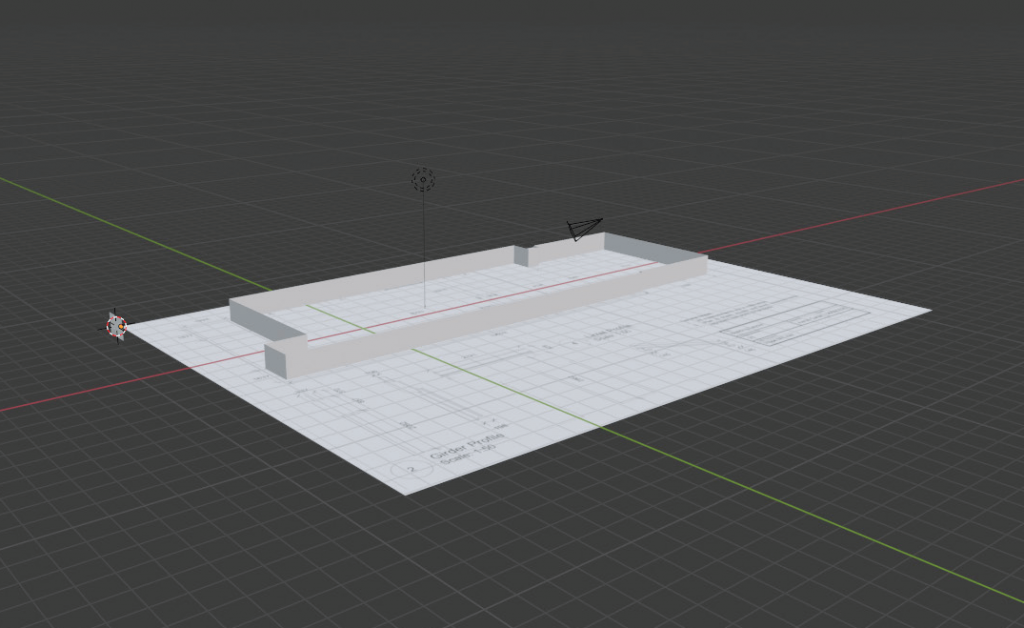
    Hope Mill Floor Plan in Blender

    Design & Development Process

    1. Floor Plans & Setup

    I began by importing the theatre’s floor plans into Adobe Illustrator, simplifying them into vector shapes for clean import into Blender. This allowed me to extrude walls and structures to precise heights using elevation drawings as reference.


    2. Architectural Modelling

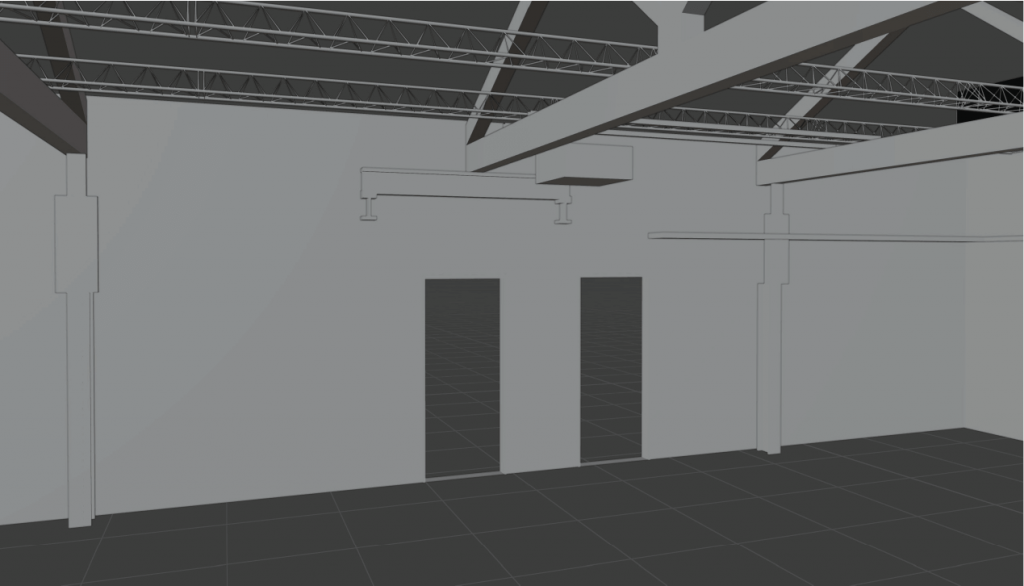
    In Blender, I modelled the theatre’s key structural features, walls, arches, rigging, lintels, and girders, ensuring each element matched real-world measurements. I used modifiers like array and mirror to replicate recurring components such as arches and light rigs efficiently.

    3. Materials & Texturing

    Using Adobe Substance, I created and applied realistic materials including old brick, wood, black metal, and aged steel. These textures helped capture the venue’s industrial character and ensured a high level of visual authenticity.


    4. Seating & Details

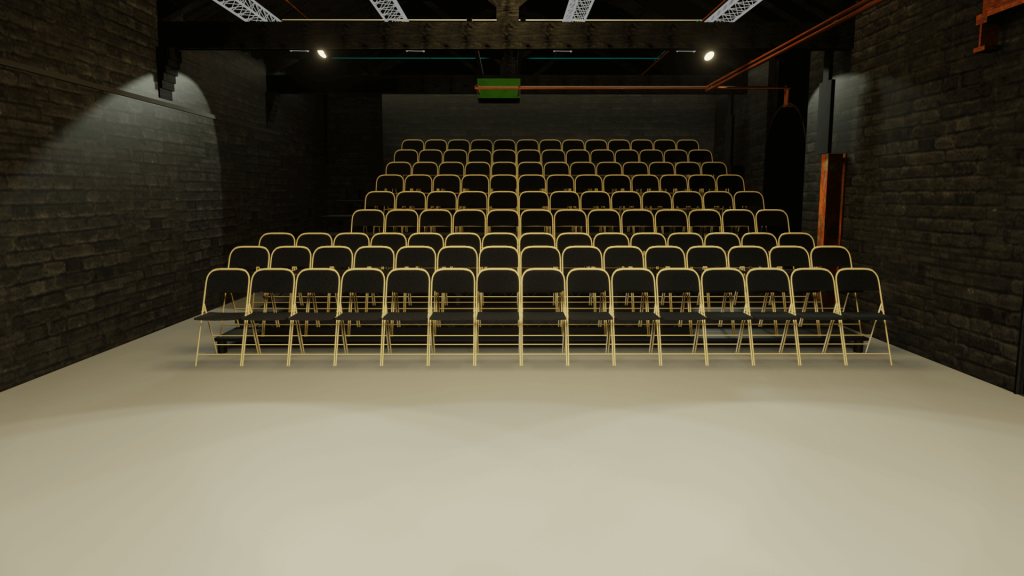
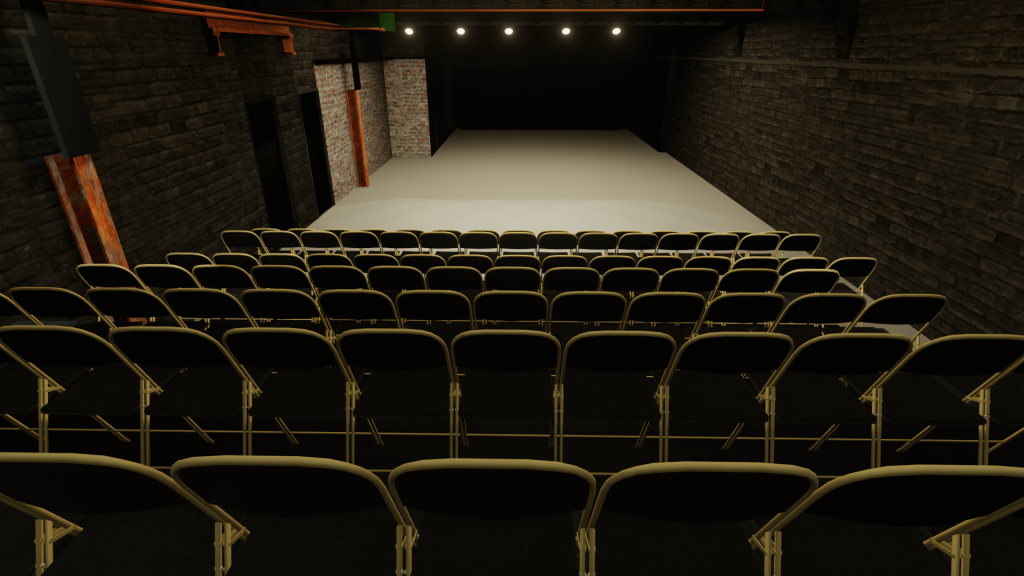
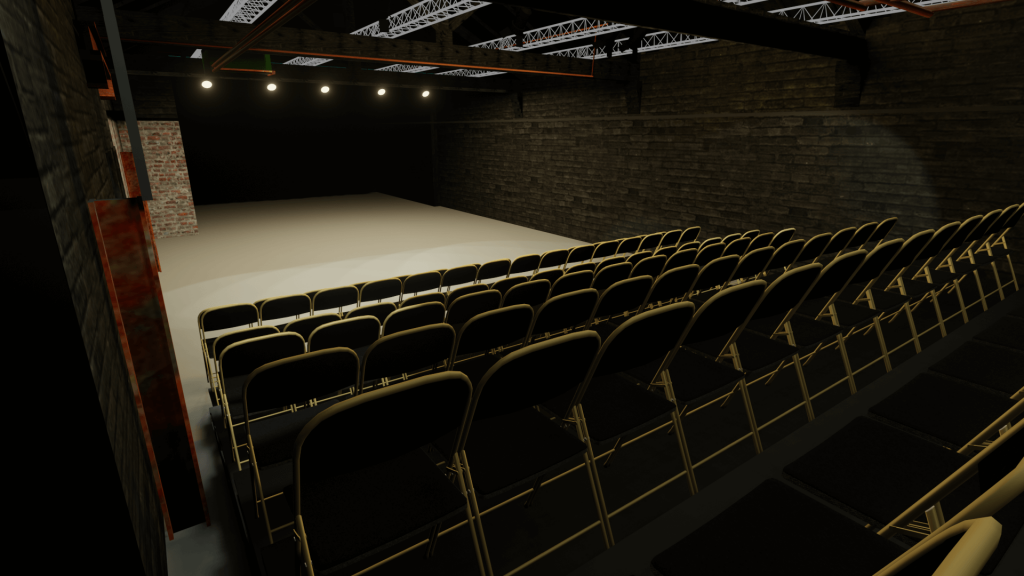
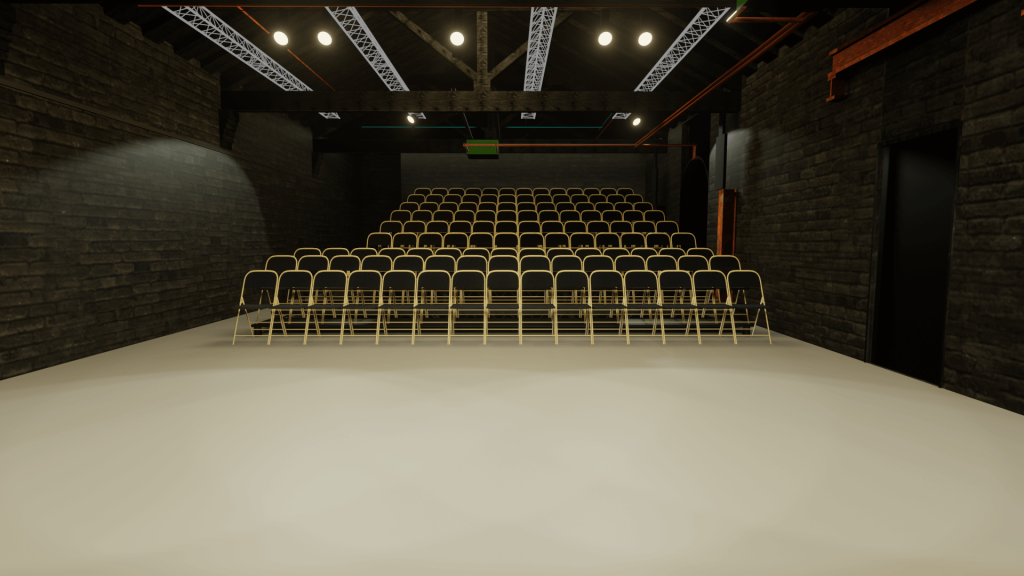
    I sourced a base chair model online, adjusted it for accuracy, and duplicated it using array modifiers to reflect the real seating layout. Additional details such as pipes, lighting, and roof elements were added to complete the environment.
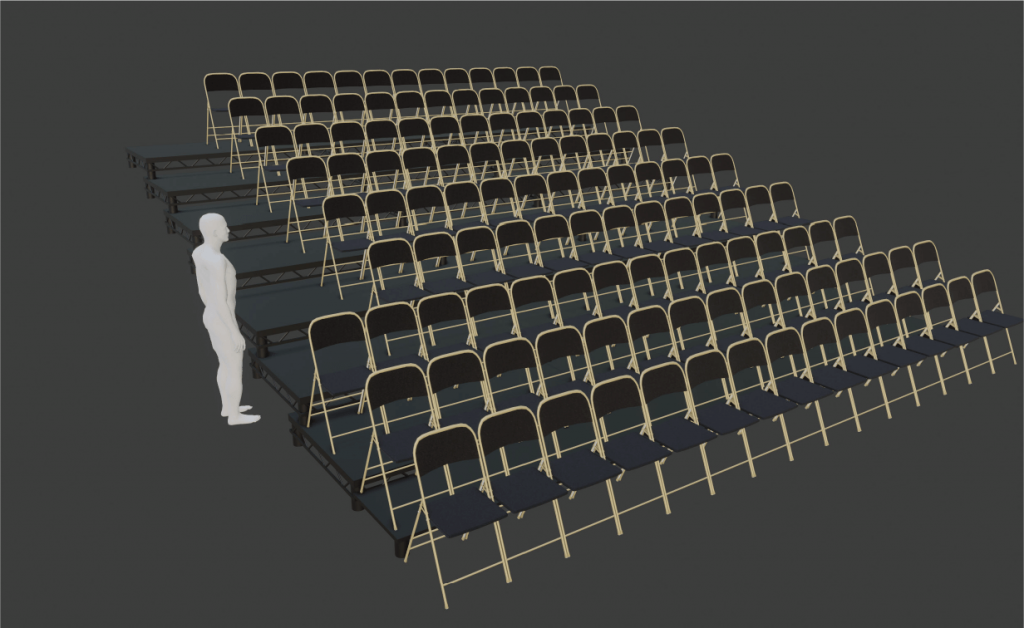
    Hope Mill Theatre Chairs
    Hope Mill Theatre Chairs

    5. Lighting & Rendering

    Basic lighting setups were tested to replicate how light interacts within the real venue. I rendered preview shots to assess realism and make final texture adjustments.
    Outcomes

    The final product was a highly detailed 3D model of Hope Mill Theatre, accurately reflecting its physical space and materials.

    Deliverables included:

    • A fully modelled and textured environment in Blender.
    • An FBX export ready for import into Unity or other 3D platforms.
    • A video walkthrough demonstrating the space and highlighting key details.

    This model gives Hope Mill Theatre a foundation for future digital applications, such as interactive venue tours or metaverse-based events.


    Reflection & Next Steps

    This project was a major step forward in my 3D design practice, helping me refine skills in:

    • Architectural accuracy and scale translation.
    • Efficient modelling workflows in Blender.
    • Realistic material creation and lighting.

    If given more time, I would have:

    • Imported the model into Unity for interactive exploration.
    • Added user movement controls and lighting presets.
    • Integrated UI elements showing live venue measurements.

    Despite its challenges, this project taught me valuable lessons in scope management, client collaboration, and technical precision. The result is a professional, adaptable 3D representation that showcases how digital media can support the performing arts.
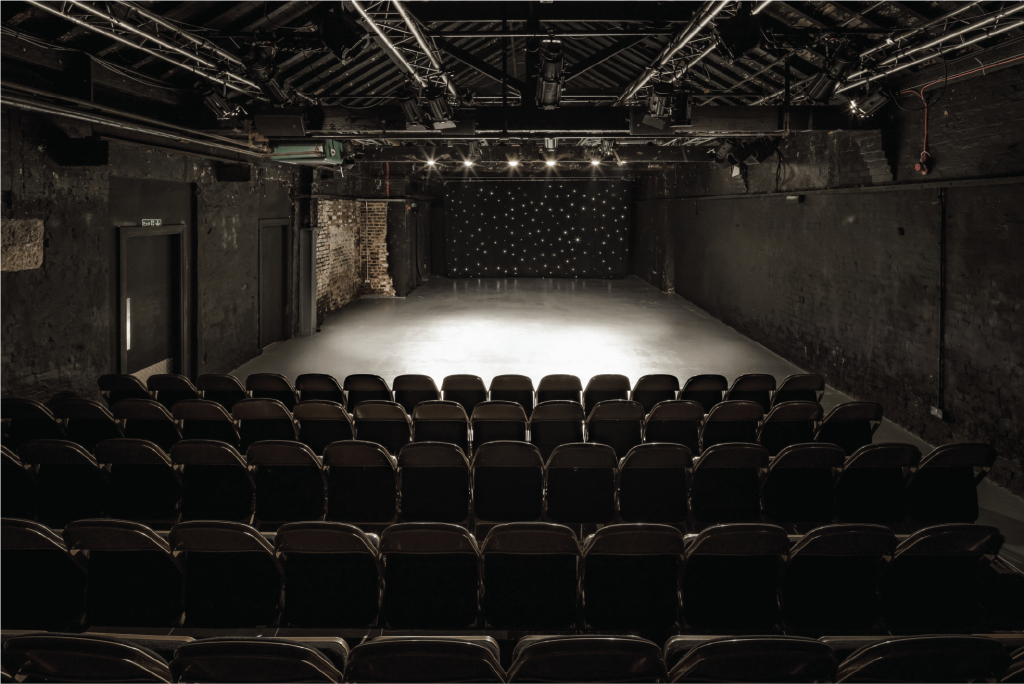
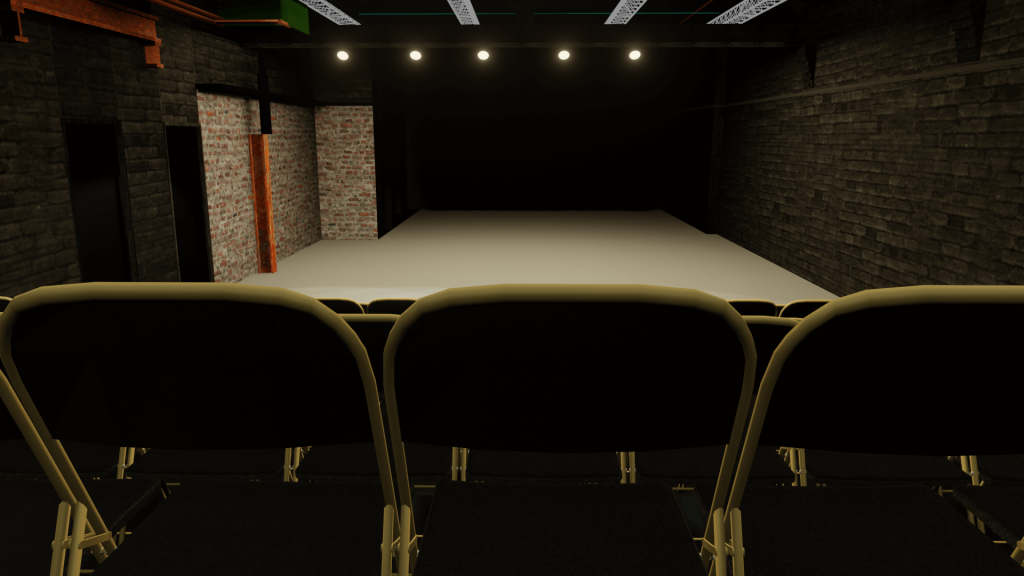
    hope mill theatre interior shot from the audience
    hope mill theatre interior shot from the audience
    recreated hope mill theatre interior shot from the audience
    recreated hope mill theatre interior shot from the audience

    This case study demonstrates my ability to combine 3D modelling, design accuracy, and storytelling, creating digital spaces that bridge creativity and functionality.
  • Interactive 3D Bedroom Environment

    Interactive 3D Bedroom Environment

    Overview

    For my university module Enhanced Digital Innovations and Technologies, I created an interactive 3D bedroom environment using Blender and Unity. The aim was to test my modelling, lighting, and interaction skills in a real-time environment while exploring the potential of immersive digital spaces.

    This project challenged me to move beyond static models and bring an environment to life with interactivity, lighting effects, and animation.


    The Challenge

    I wanted to build an environment that was visually realistic but also interactive. The goals were:

    • Strengthen my 3D modelling skills in Blender.
    • Learn how to build immersive spaces in Unity.
    • Experiment with C# scripting for interactive elements.
    • Create an environment that felt modern, minimal, and lived-in.

    I considered three ideas: a theatre, a home studio, and a bedroom. I chose the bedroom because it struck the right balance between ambition and feasibility.


    Design & Development Process

    1. Environment Modelling in Blender

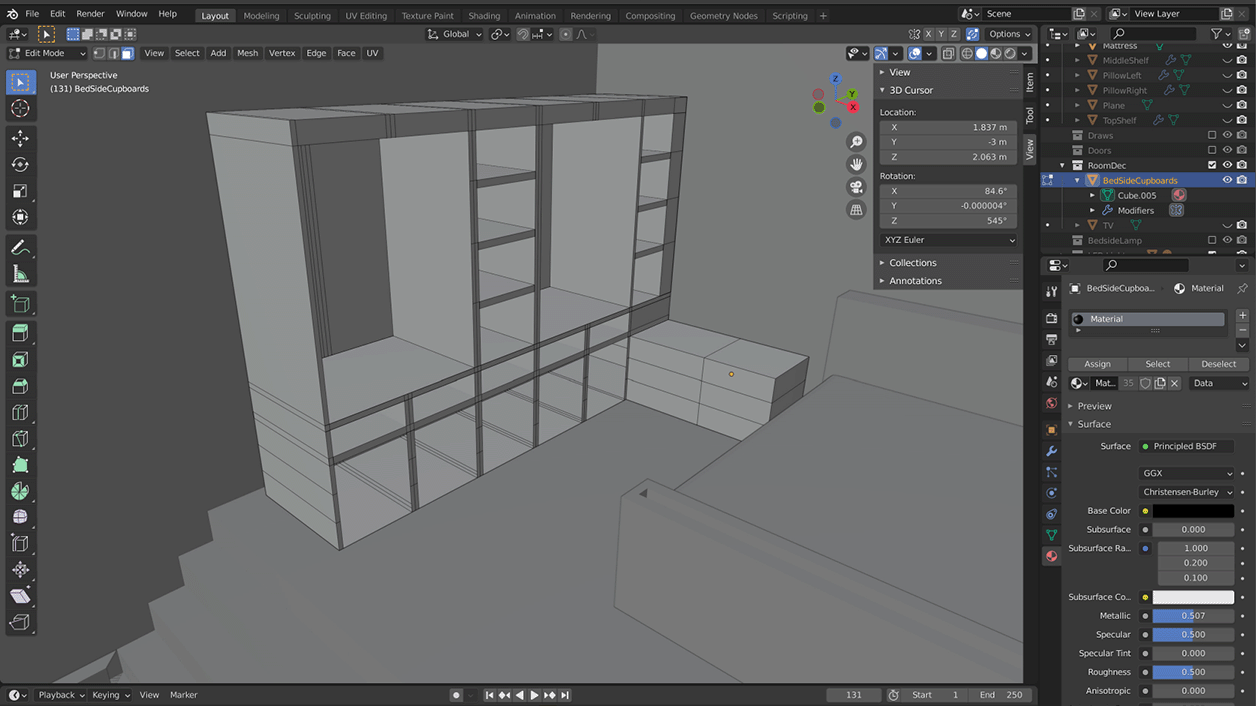
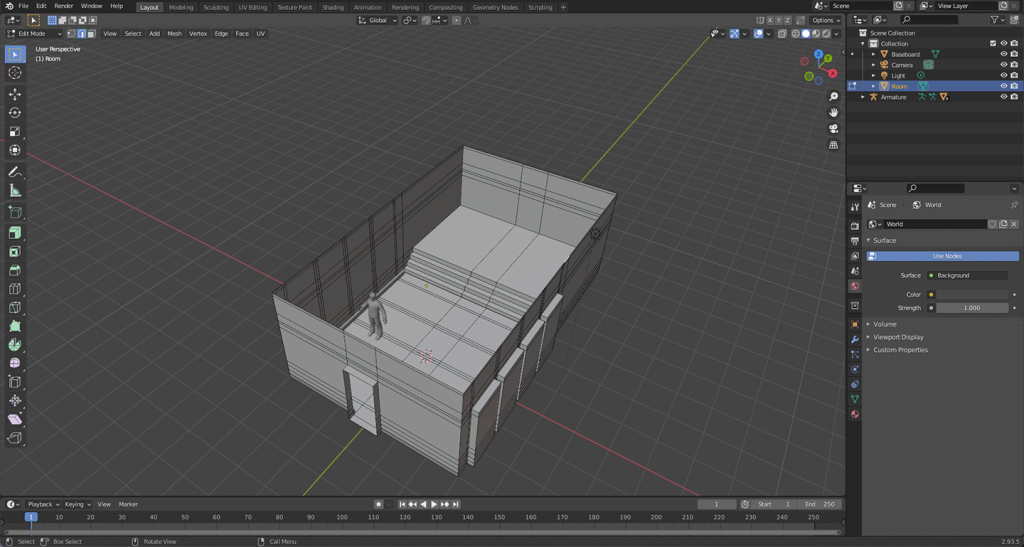
    • Built the room layout with correct mesh topology.
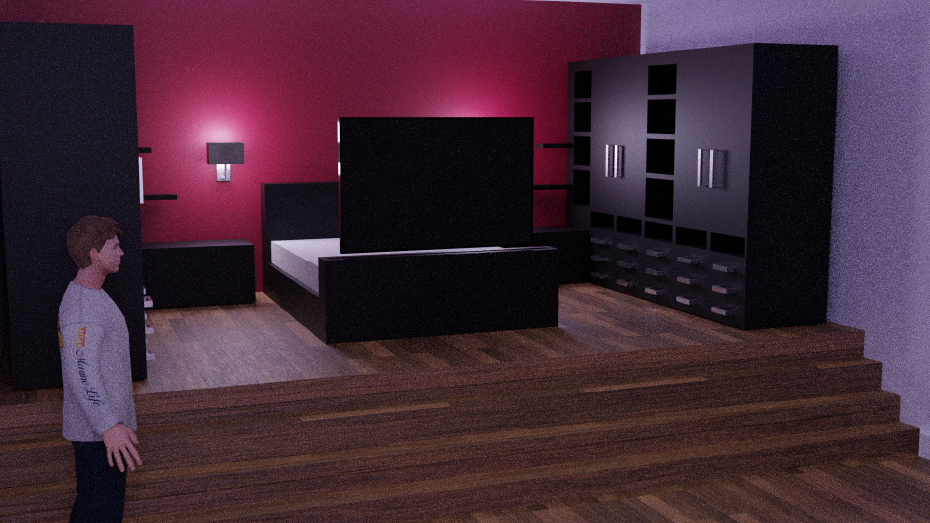
    • Created core furniture: bed, wardrobes, bedside tables.
    • Used modifiers (mirror, subdivision, array) to speed up construction.
    • Added details like a feature wall, shelving, and TV slot.
    Early room mesh
    Early room mesh

    2. Adding Materials & Lighting

    • Applied realistic textures for wood, fabric, and walls using AmbientCG assets.
    • Experimented with spotlights, bedside lamps, and a central room light.
    • Adjusted reflections with reflection probes for realism.
    • Rendered early versions in Blender to preview mood and lighting.

    3. Unity Import & Interactivity

    • Imported Blender models into Unity, fixing material translation issues.
    • Used C# scripting to add:
      • A working light switch (toggle on/off).
      • A moving TV rising from the bed when the player approached.
      • A video player to stream content on the TV screen.
    • Implemented colliders and navigation so the player could explore the space.

    4. Detailing & Polish

    • Designed realistic bedding (duvet + pillows) using physics in Blender.
    • Decorated the room with plants, artwork, and imported models.
    • Tweaked lighting intensities, reflections, and post-processing to set the right mood.

    Outcomes

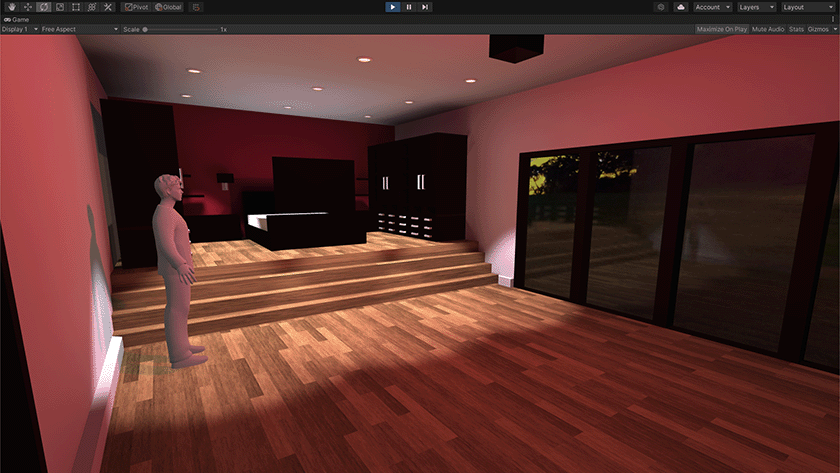
    The final product was a modern, interactive bedroom environment where the user could:

    • Explore in first-person view.
    • Interact with the light switch.
    • Watch a TV that emerges from the bed and plays video content.
    • Experience a realistic space with textured bedding, furniture, and mood lighting.

    Feedback on the demo highlighted the immersive atmosphere and functional interactivity, though I identified future improvements such as animating wardrobes and adding more decorative elements.

    Room Render

    Reflection & Next Steps

    This project significantly improved my confidence with:

    • Blender modelling workflows (mesh topology, physics, modifiers).
    • Unity lighting and materials.
    • C# scripting for interactivity.

    If I had more time, I would:

    • Add interactive wardrobes with mirrored doors.
    • Improve lighting dynamics further.
    • Expand into adjoining rooms (bathroom, games room).

    Overall, this was a rewarding project that showed me the potential of combining 3D modelling, real-time rendering, and interactivity.


    Demo


    This case study demonstrates how I can conceptualise, design, and implement immersive environments, bridging 3D design and interactive technology.